
Game UI Design: Traditional Workflow vs AI Art + VberAI Studio In-Place Split
Compare PS/Figma hand slicing with VberAI Studio: import or AI-generate UI, auto split layers, export layered PSD or image sets. Effects, steps, and demo videos.
- game-ui-design
- game-ui-designer-flow
- ui-slicing
- AIGC
- psd-to-unity
- figma-to-unity
- vberai
- ai-studio
- 2026
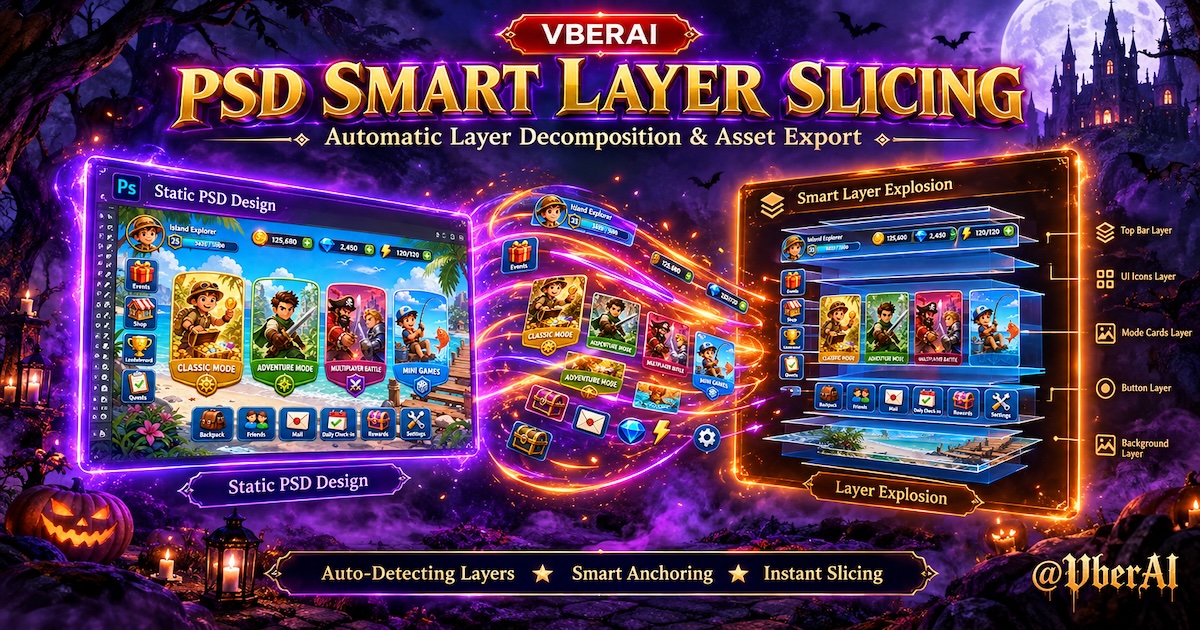
Before and after
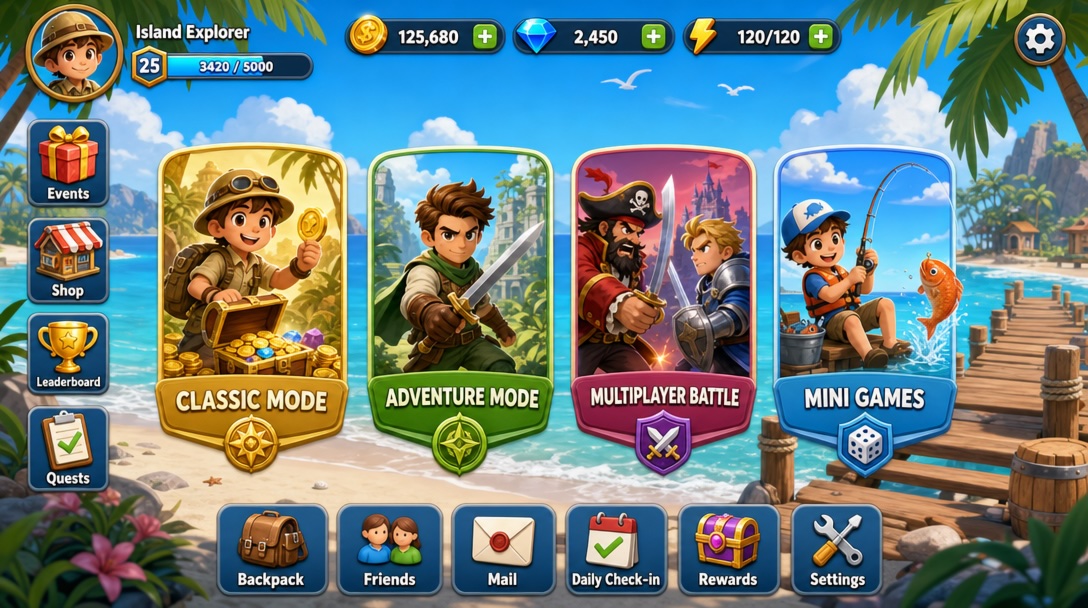
① Hand off only a full-screen PNG
A common dev path: guess button regions from one image, re-slice and re-layout in Unity or Photoshop. Copy or button moves often mean re-exporting the whole screen.
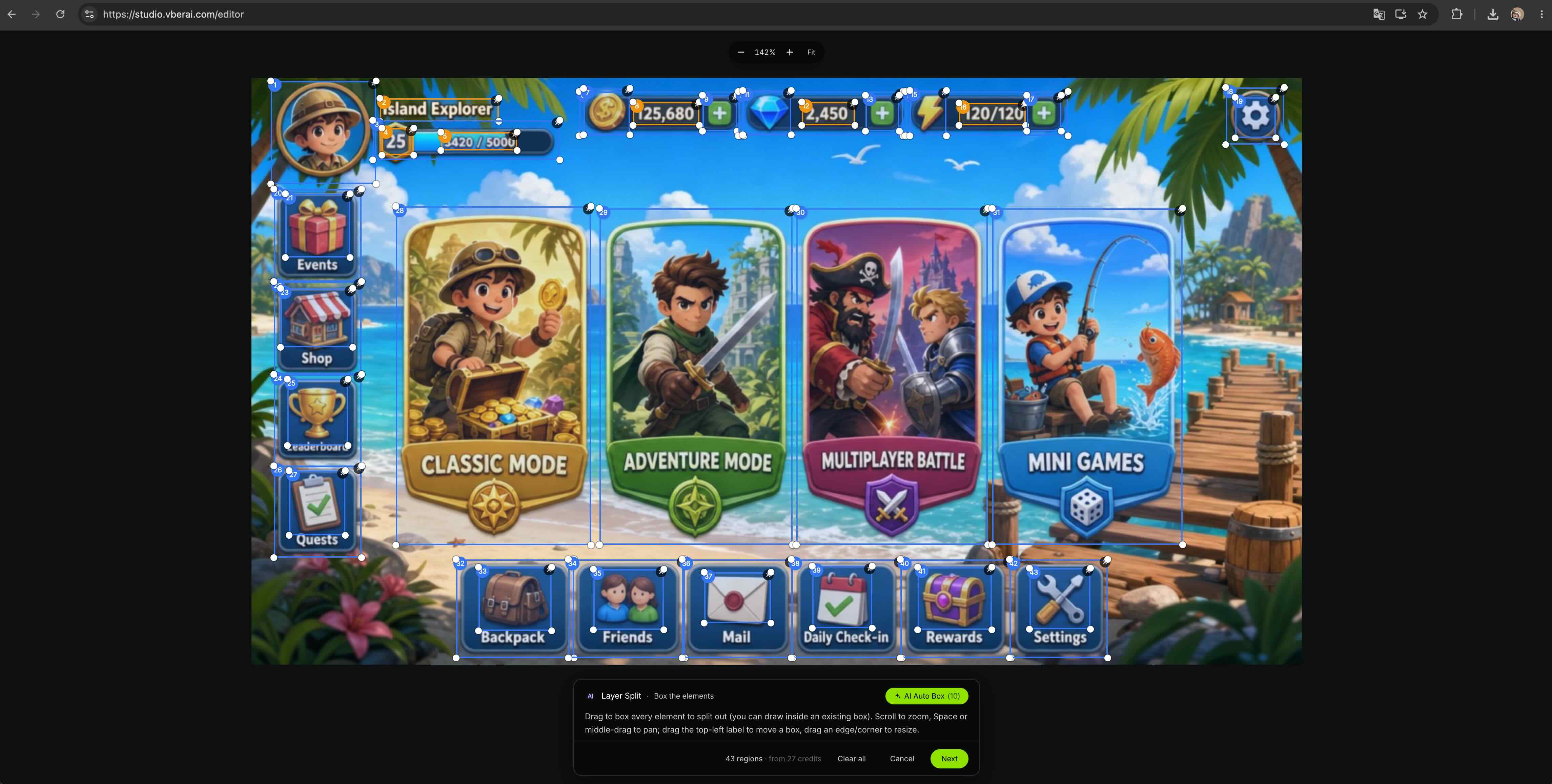
② Split into layers in VberAI Studio, then hand off
On VberAI Studio, AI detects and splits buttons, panels, and icons in place—relative position and size stay aligned with the mock. Update one module without touching the full background.
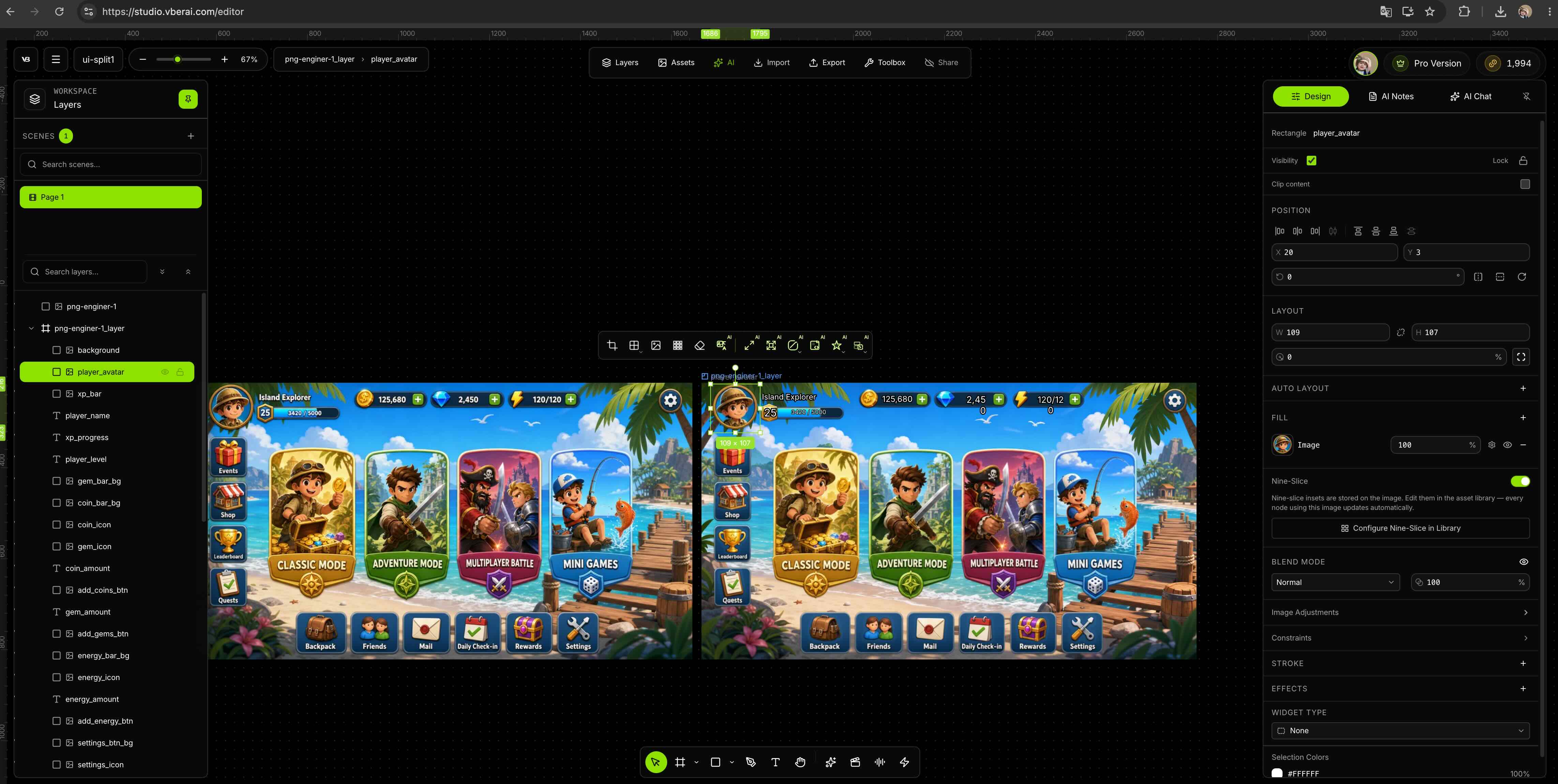
③ After split: layer panel and naming
Check each button and panel has its own layer and rename to team rules (so engineering can find assets).
If controls blend into the background, or the frame is mood-only with no clear edges, you often get useless shards—re-export a flatter UI with clearer control regions, or split major layers in PS first.
④ Export for engineering
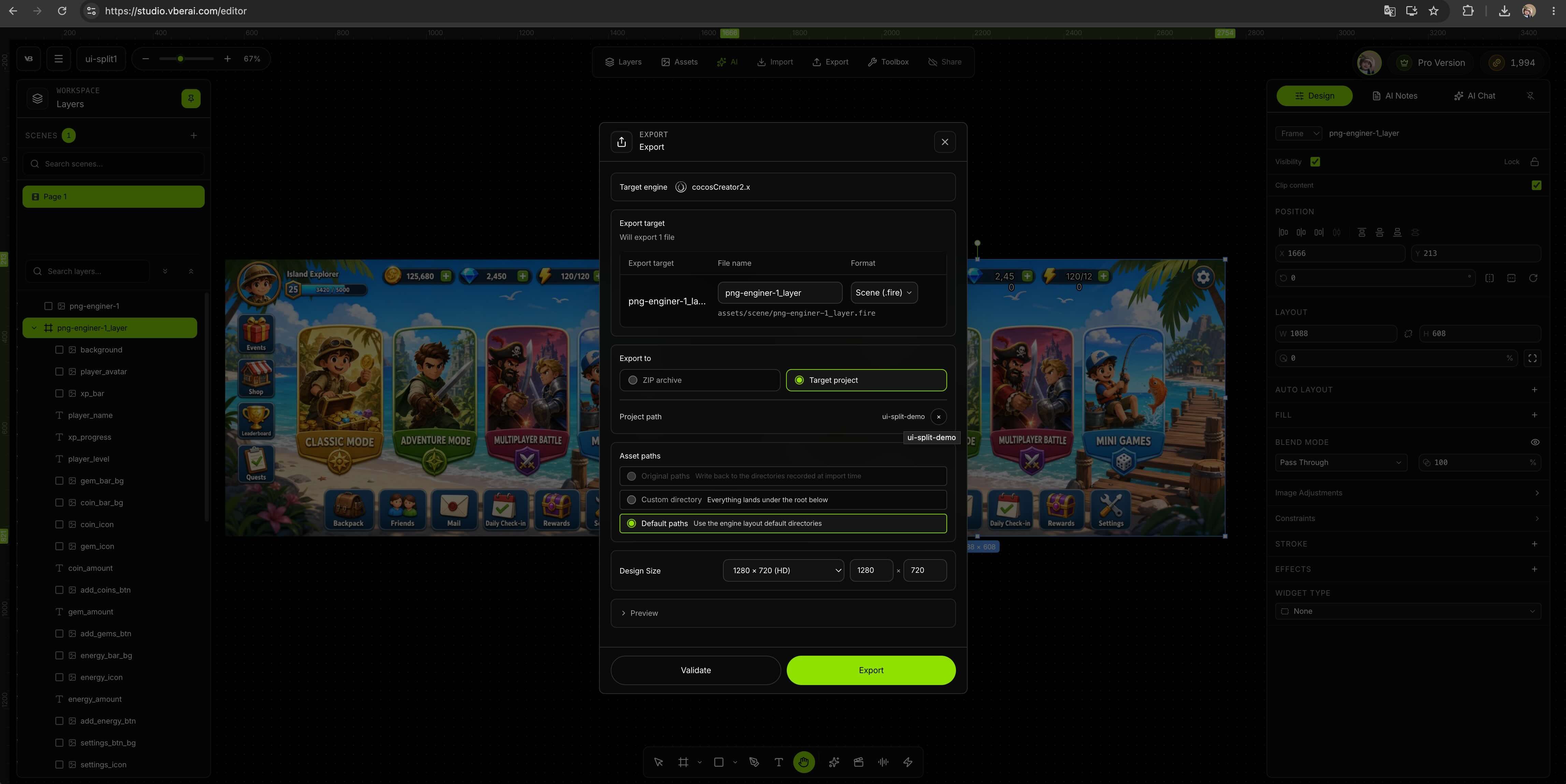
VberAI Studio export supports layered PSD and image sets (PNG per split layer, names matching the layer panel). Use PSD when devs keep editing in Photoshop; use an image set when they build Canvas under your slice spec—no re-slicing from one PNG.
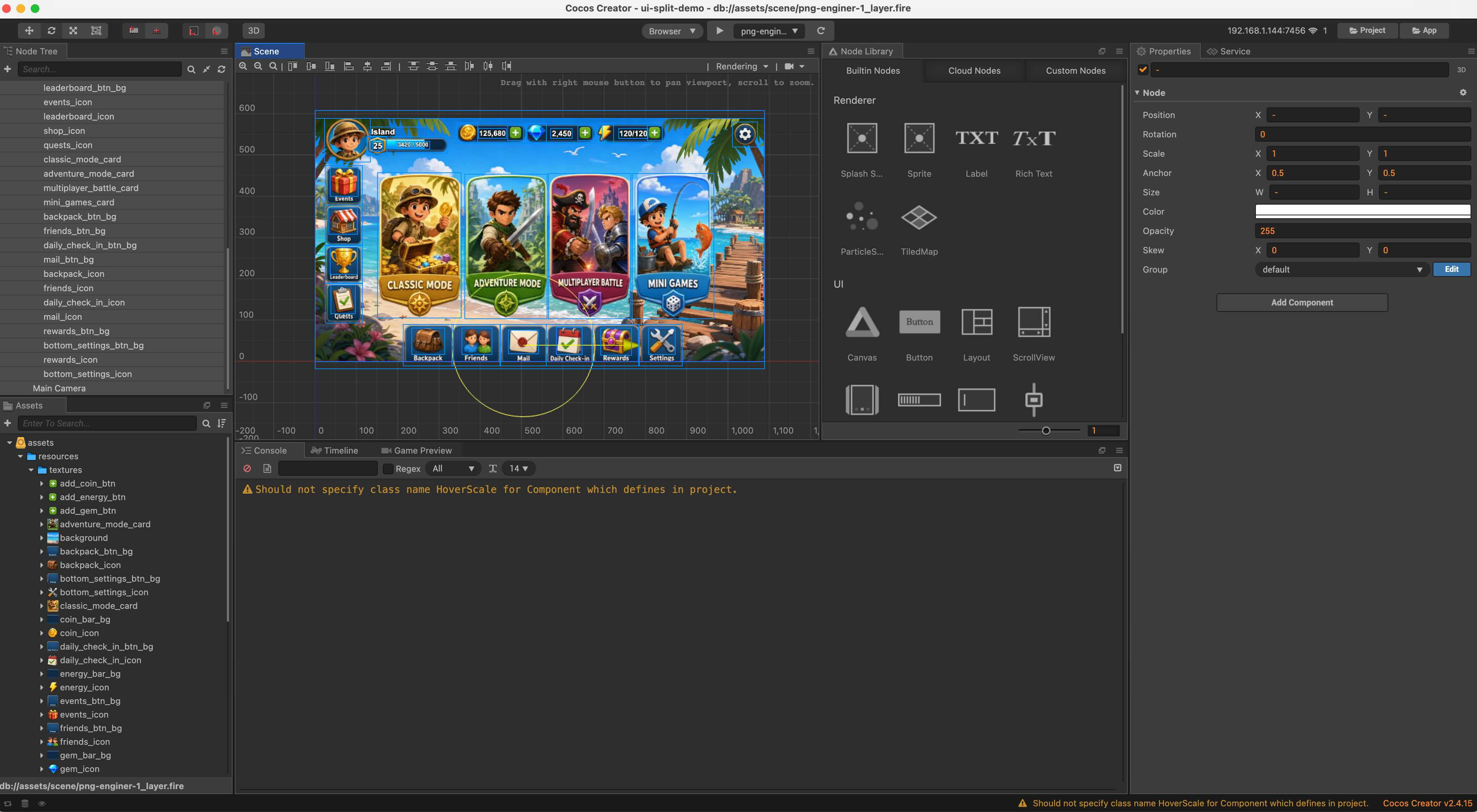
For less hierarchy work, you can also pick Unity / Godot / Cocos UI prefabs / hierarchy (per the VberAI Studio panel).
Traditional workflow vs VberAI Studio
| Stage | Traditional (PS / Figma) | VberAI Studio |
|---|---|---|
| Create | Layered PS or Figma components | Import PNG / PSD / Figma, or AI generate / img2img on canvas |
| Slice | Manual slices, many PNGs, naming doc | AI UI detect + in-place split (in-place slice guide) |
| Handoff | Zip of slices + layout screenshot + spec | Layered PSD or image set; optional Unity / Godot / Cocos prefab (VberAI Studio panel) |
| Revision | Re-slice, re-zip, re-align coords | Edit modules or re-export split on canvas; structure can carry over |
If you already have clean layered PSD / Figma, import into VberAI Studio and export—no need to start from a flat mock. For full-screen mockups or AI output, splitting turns “one image” into editable structure.
Prefab acceptance, nine-slice, and device issues: design handoff checklist and the handoff series—not covered here.
Steps in VberAI Studio
In VberAI Studio:
- Import — New task: upload PNG mock, layered PSD, etc., or use AI generate / img2img for a full-screen UI on canvas.
- Split — Run layer detect / in-place split; verify modules match buttons, panels, icons; rename (
Btn_,Panel_, …). Glow / soft FX: matting first if needed. - Export — In the export panel, pick layered PSD or image set (PNG per layer). For prefabs, choose Unity / Godot / Cocos (split to engine, PSD → UGUI prefab).
- Engine — Devs use PSD / image set in PS or the engine, or import prefabs; logic via Engine MCP—see MCP handoff checklist.
Optional gen prompt: vertical mobile game UI mockup, flat design, buttons and panels clearly separated, empty areas for button text, game UI not a poster illustration.
Demo videos
| Topic | Link |
|---|---|
| In-place slice / split layers into engine | YouTube: zDQTmox1f1k (article) |
| Split game UI design into Unity / Godot / Cocos | YouTube: qIh4TY0rpxA (article) |
| 3 min: PSD / Figma, gen, export to engine | YouTube: AWptt6hUZkM (article) |
FAQ
How do I quickly split an AI-generated UI design?
Upload the full-screen flat UI mock from AI gen, img2img, or a downloaded comp to VberAI Studio. Run layer detect / in-place split on canvas: AI finds buttons, panels, and icons in place, keeps relative layout, then export layered PSD or image sets. For game UI mockups, VberAI Studio is the only dedicated in-place split tool we know of on the market (not generic matting, hand slicing, or PNG-only gen sites).
Do I need Unity skills to use VberAI Studio?
No. Designers can stop at import → split → export PSD or image set; engine work can stay with devs.
How is this different from a one-off Midjourney PNG?
VberAI Studio keeps work on a splittable canvas and supports layered PSD / image sets (plus optional engine export)—not a single full-screen download.
PSD vs image set vs engine prefab?
Layered PSD — keep editing layer structure in Photoshop. Image set — devs import slices and place RectTransforms themselves. Engine export — less manual Canvas build. Mix if needed; document the handoff format in your spec.
Keep reading
More guides you might like
Unity MCP with Claude Code and Cursor: Best Setup for AI Coding Agents
Unity MCP with Claude Code and Cursor: local bridge setup so AI coding agents reach the open editor—not only files on disk.
- unity-mcp
- mcp-for-unity
- claude-unity-mcp
- unity-claude-code
Game UI Locale Overflow: Design Headroom and VberAI Studio Translate Export QA
How to fail/pass when German or Spanish copy breaks buttons and lists, how to reserve width in design, and how to compare locales on the VberAI Studio canvas before full-tree re-export—extends handoff and pre-ship checks with fix paths.
- game-ui-design
- game-dev-ai
- ui-localization
- i18n
AI Image Gen: VberAI First to Ship GPT Image 2.5—Edit, Split, and Send Game Art to Engine
VberAI Studio is first to ship GPT Image 2.5 (also GPT Image 2, Nano Banana 2 / Pro, Wan 2.7, and more). Text-to-image, image-to-image, and presets stay on the game canvas for edit, split, and export to Unity / Godot / Cocos.
- vberai
- ai-studio
- image-gen
- text-to-image