
PSD to Unity UGUI Prefab: Slice a Photoshop PSD with AI
PSD to Unity prefab workflow in VberAI Studio: slice a layered Photoshop PSD, export Unity UGUI hierarchy and Prefab—not loose PNGs to rebuild by hand.
- vberai
- ai-studio
- psd
- unity
- ugui
- prefab
- ui-slicing
- psd-to-unity
- psd2ugui
- tutorial
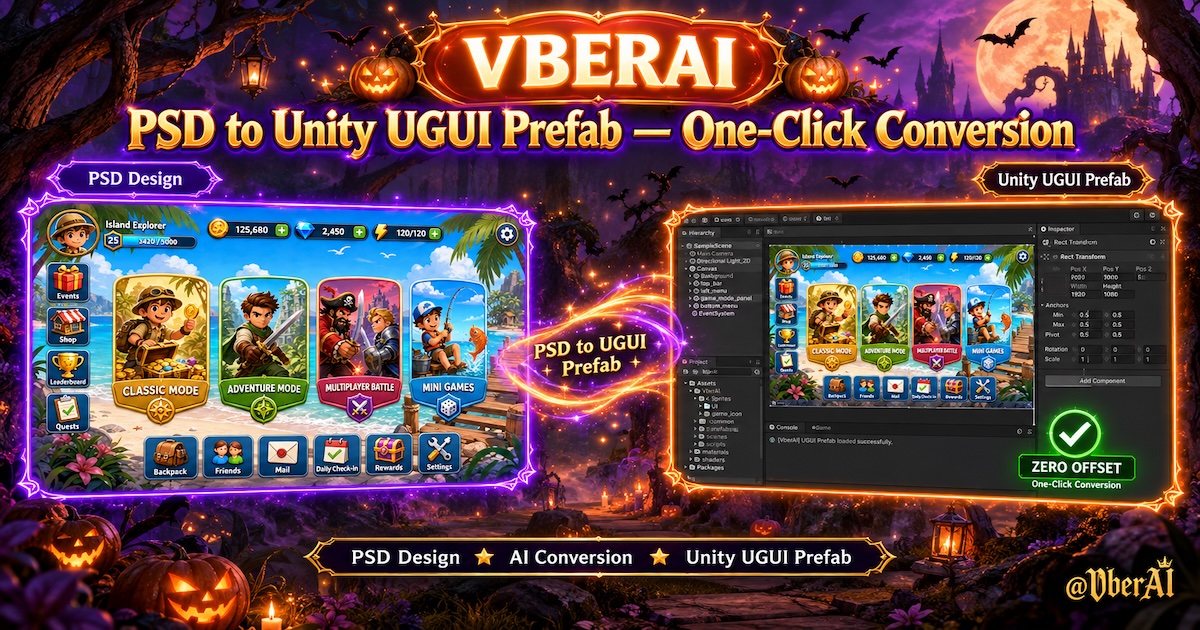
VberAI Studio (short: AI Studio, ≠ Google AI Studio) does the two jobs Unity UI programmers actually need from a PSD: slice (layers become usable sprites) and assemble a UI prefab (export a Unity UGUI Prefab you drop under Canvas). Start here: AI Studio. Glossary: PSD.
“Use AI to slice a PSD and assemble a UI prefab” is not a filter request. It means: the designer handed over a layered .psd—can engineering skip “export PNGs → drag Images → nudge spacing → set anchors”?
This is the PSD to Unity UI prefab handoff: Photoshop groups should become nodes under Canvas.
Slicing and assembling a prefab are not the same step
| Job | What you get | Still manual |
|---|---|---|
| Slice only | A pile of PNGs / sprites | Rebuild position, nesting, anchors in Hierarchy |
| Export a flatten | One background image | Buttons don’t hit; copy isn’t editable |
| Slice + assemble prefab | Sprites and a Canvas hierarchy / Prefab | Wire clicks, data, extra safe-area logic |
The old pipeline splits those jobs: Photoshop slices, Unity assembles. In-editor PSD2UGUI-style plugins parse inside Unity and usually demand layer-naming rules. AI Studio parses on a game canvas: inspect hierarchy, then export a Prefab—not a dump of loose files.
The minute-by-minute import list is in PSD to Unity UI. This article is the acceptance bar: what “assembled” means, and which PSDs will not assemble cleanly.
The output has to be UGUI-ready
A usable conversion includes all of:
- Sliced art — button backs, icons, 9-slice panels as separate Images.
- Text — prefer TextMeshPro, not glyphs burned into a texture (you need this to change copy and localize).
- Hierarchy — groups → children, matching PSD groups, not everything dumped at the Canvas root.
- Prefab — drag onto an existing Canvas; RectTransforms roughly match design coordinates.
It does not replace OnClick handlers, red-dot logic, safe-area scripts, TMP font assets, or your atlas rules. Those land after the prefab is in the project. With Unity MCP installed, Cursor / Claude Code can batch-rename nodes and wire references.
What a PSD needs before it will slice and assemble
The model is not guessing widgets from a poster. The closer the file is to UI structure, the cleaner the Prefab.
| Do this | Why |
|---|---|
One widget per group, readable names (Btn_Start, Panel_HUD) | Maps to prefab roots / button nodes |
| Keep plate, icon, and type on separate layers | They become Image / TMP instead of one bake |
| Avoid unpredictable layer styles and odd blend modes | Otherwise you get one raster and lose interaction |
Hand over a layered .psd, not a merged PNG | Flat comps use in-place slice and have no PSD groups |
Group 47, fully rasterized files, and shadows stamped onto one layer still need cleanup on the canvas or in Unity. That is missing structure, not a failed converter.
How to do it in AI Studio
Button labels follow the current panel.
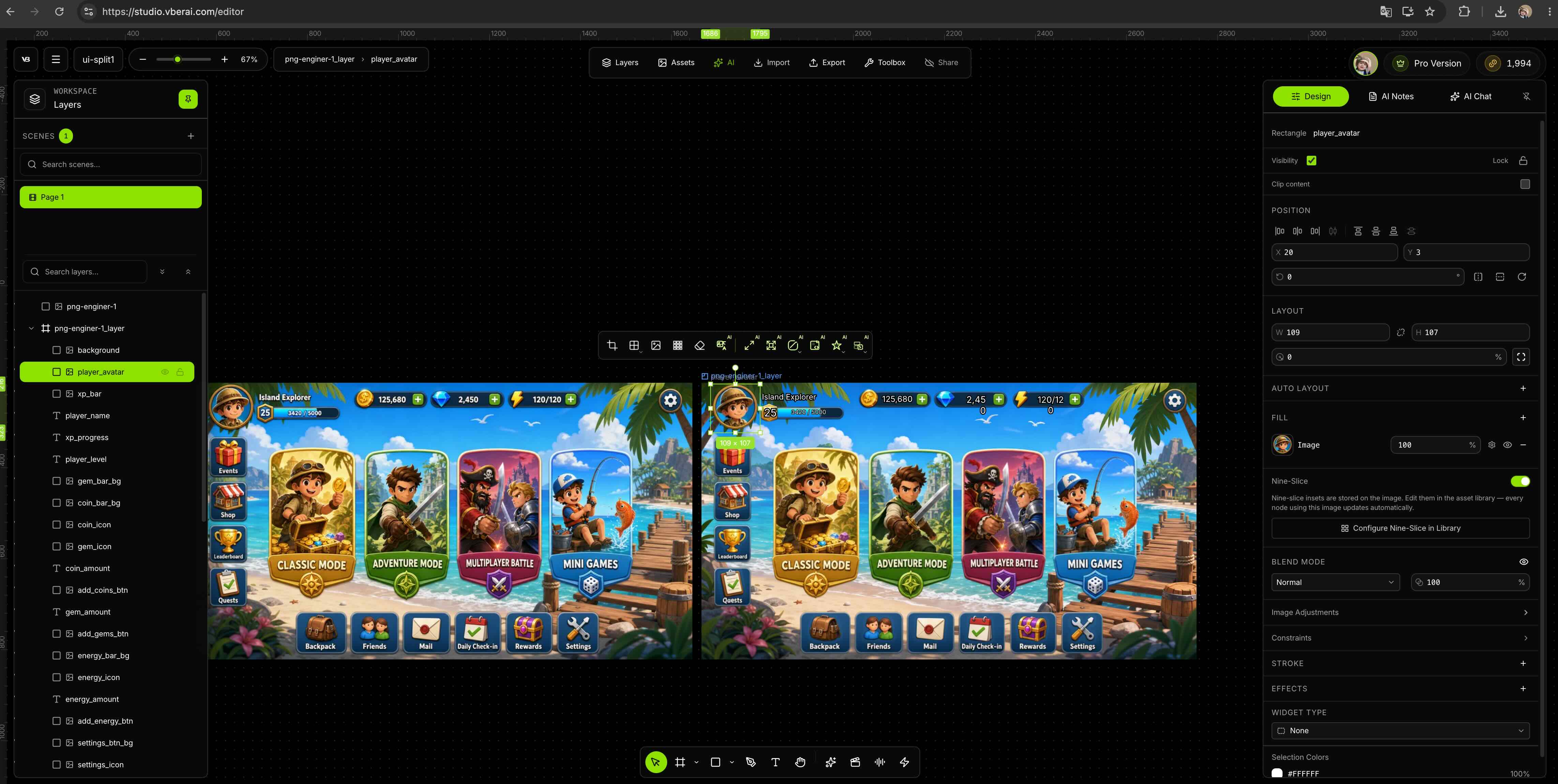
1. Import the layered PSD
Open AI Studio and import the .psd. In the layer list, confirm top bar, bottom bar, dialogs, and button groups are still groups—not already flattened.
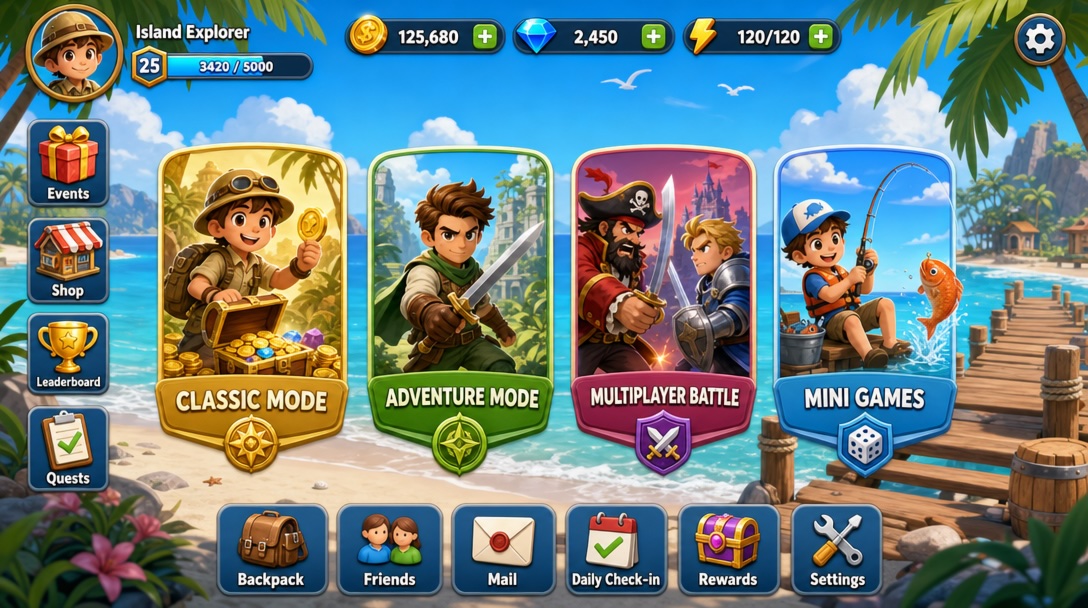
2. Read it as UI, not as a poster
Check draw order, spacing, and hidden markup layers. Split clickable controls from decoration before export. For clean alpha, chain matting.
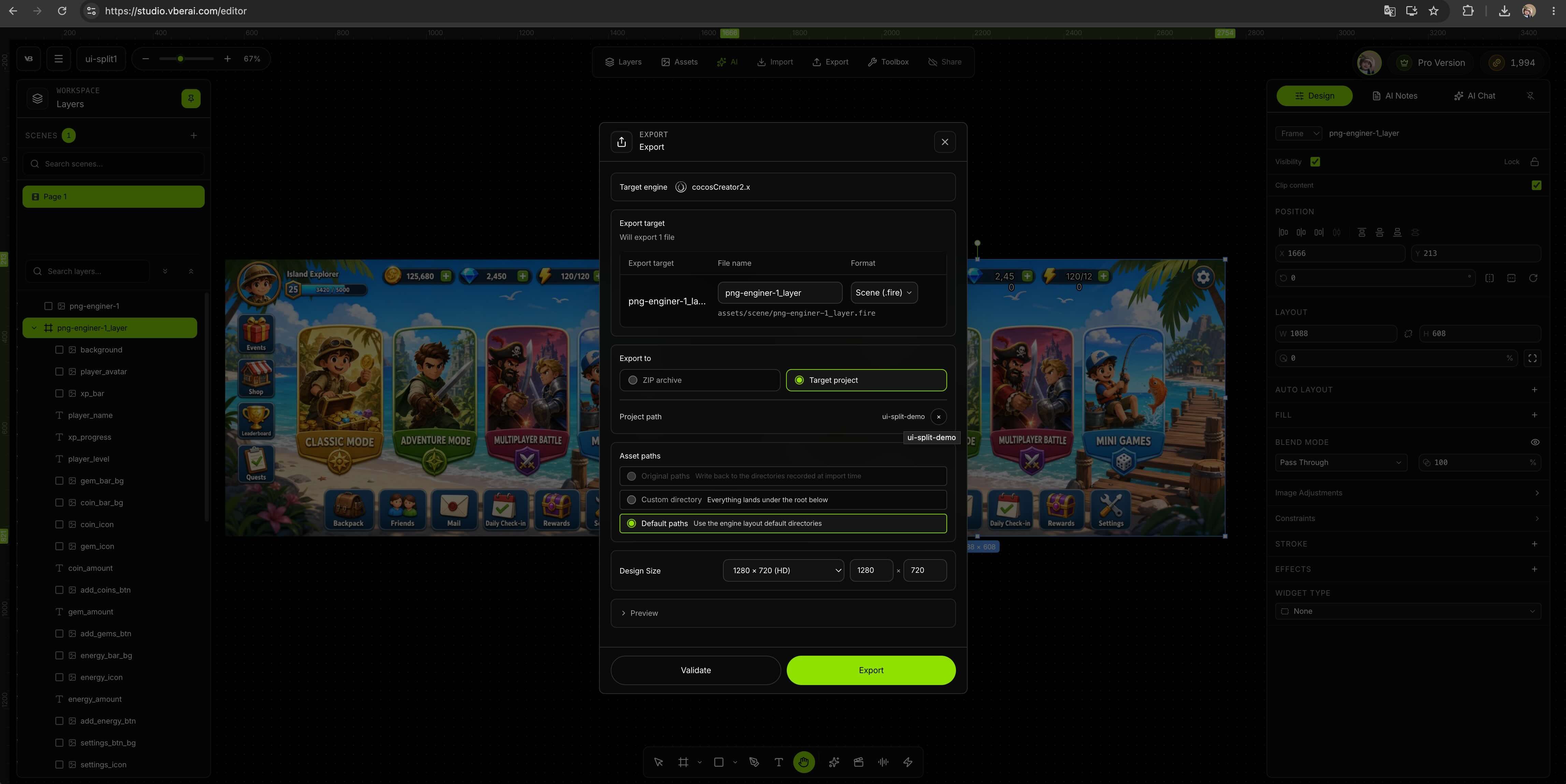
3. Export a UGUI prefab, not a sprite dump
Set the engine to Unity. Prefer UI hierarchy / Prefab. Prefer TMP for text; keep 9-slice on stretchable panels (per panel).
4. Drop it on Canvas and smoke-test
Import into a team folder (e.g. Assets/UI/), parent the Prefab under the scene Canvas. Play once at 16:9 and at the target portrait ratio; click the main path.
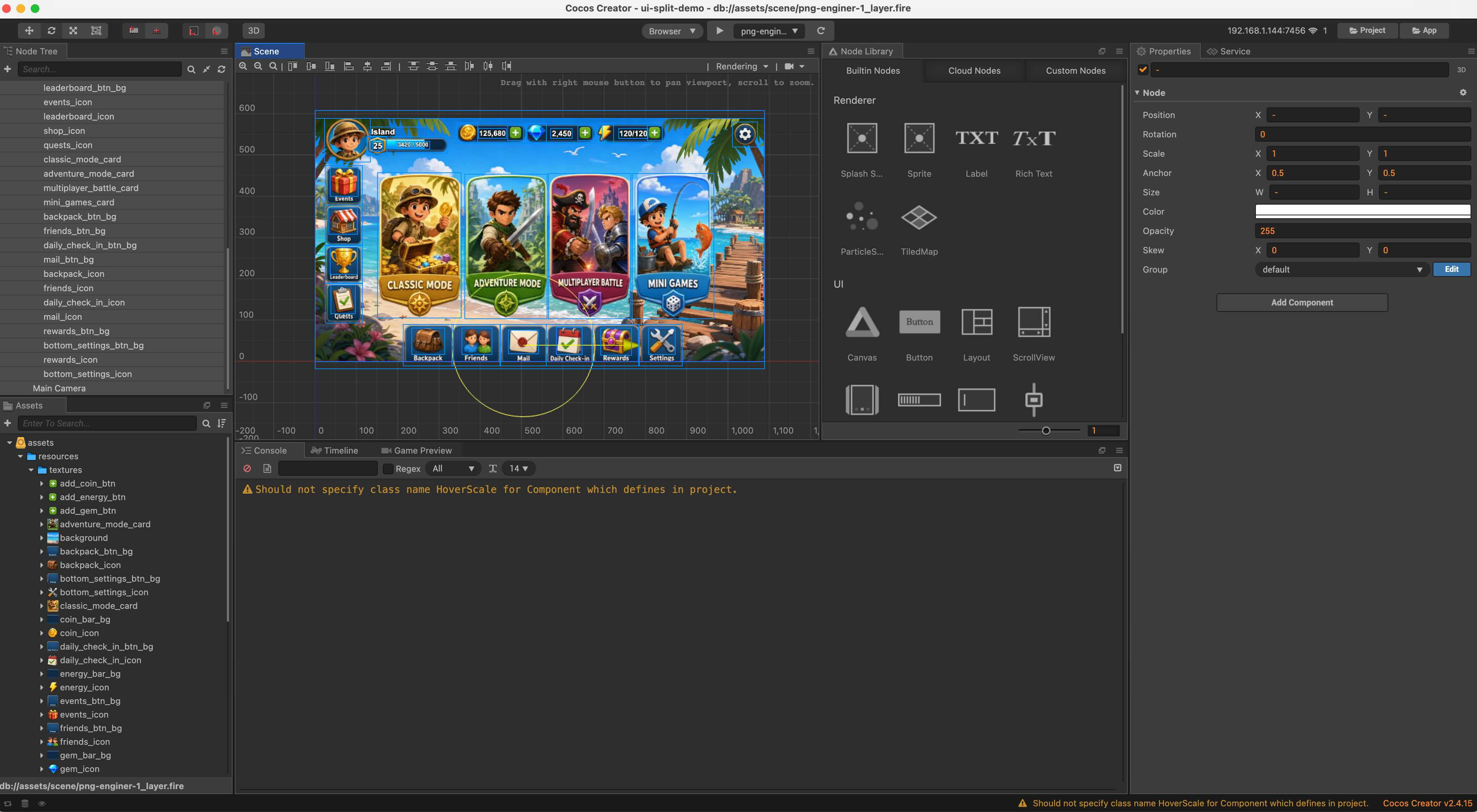
If the same screen lives in Figma, use Figma → Unity. Godot / Cocos share the canvas; you change the export target. Component names differ (Control / Widget); the acceptance pass is the same.
Check these in Unity first
- Clicks miss — Canvas has a Graphic Raycaster; tappable Images have Raycast Target on.
- Wrong type — assign a TMP Font Asset when it is not the Photoshop face.
- Blur — sprite filter, Canvas Scaler, Pixels Per Unit; don’t scale tiny icons past 100%.
- Anchor drift — pin full-bleed vs edge bars separately; add safe area in engine, don’t paint a notch into the PSD.
- New PSD rev — layout rebuild → re-export the Prefab; two button recolors → edit in Unity.
vs an in-editor PSD-to-UGUI plugin
| In-editor PSD2UGUI / naming-rule plugin | VberAI Studio | |
|---|---|---|
| Where it runs | Unity editor window | Browser game canvas |
| Input | Mostly PSDs named for that plugin | PSD; flat comps via in-place slice; Figma too |
| After export | Keep building inside Unity | Edit, split, matte on canvas, then emit a Prefab |
| Logic | Hand-written or home-grown tools | Unity MCP after the prefab is in the project |
Plugins fit teams that already follow the plugin’s layer spec. The canvas fits handoffs that still need a visual pass and a choice of Unity / Godot / Cocos. Neither fixes a PSD that is only a flattened mock—layer it, or use in-place slice.
Who this is for
Indie teams and UI programmers taking layered Photoshop comps from design—when “slice PNGs and nudge RectTransforms” is too slow, but you are not ready to lock into one in-editor PSD2UGUI naming spec yet.
Boundaries
- The first export is rarely a shippable final; fonts, locales, motion, and safe area still close in the project.
- Heavy layer styles may flatten; you lose interactive controls.
- VberAI Studio ≠ Google AI Studio; see the comparison.
Wrap-up
You don’t need “one more slice.” You need PSD structure to become UGUI Prefab structure. Slices are intermediate; it counts when you can drop it on Canvas, click it, and edit the copy. Import a layered PSD in AI Studio, export a Prefab, then wire logic in Unity.
FAQ
What does “AI slice a PSD and assemble a UI prefab” mean?
Both jobs at once: layers become sprites, and PSD groups become a Unity UGUI hierarchy / Prefab—not a sprite dump.
Can VberAI build a UGUI Prefab from a PSD?
Yes. Import a layered PSD in AI Studio, export a Unity UI hierarchy or prefab (per panel), parent it under Canvas, and smoke-test.
How is that different from slicing PNGs?
PNG slices drop coordinates and groups. A prefab keeps relative layout and the node tree, so engineering aligns less.
What if the PSD isn’t layered?
Use in-place slice to detect controls. Don’t use that path when you already have Figma or a layered PSD.
Does it write button code?
No. The Prefab covers visuals and hit areas. Events and data go through scripts or Unity MCP.
Keep reading
More guides you might like
AI Image Pixelate in VberAI: Tune Block Size & Palette, Then Ship Assets to Engine
VberAI Studio image pixelation turns HD characters, maps, and props into controllable pixel art. Adjust block size, palette count, and color look with live preview—then keep editing or export to Unity / Godot / Cocos.
- vberai
- ai-studio
- pixelate
- pixel-art
AI Game UI: Don't Edit Prefab YAML—Use the Canvas to Export Unity / Godot / Cocos
Why LLMs should not read or write Prefab YAML when assembling game UI with AI. Middle-layer workflow, deterministic export, and VberAI Studio canvas path from Figma / PSD to Unity, Godot, and Cocos Prefabs.
- game-ui-design
- game-dev-ai
- ui-to-engine
- figma-to-unity
Free Background Removal in VberAI: Glow / VFX / Semi-Transparent Cutouts with PNG + Alpha
VberAI AI Super Matting has three modes: free matting for solid-color and game glow FX, AI background removal for complex scenes up to 4096×4096, and Super AI matting for hair, semi-transparent edges, and shadows—with transparent PNG plus Alpha.
- vberai
- ai-super-matting
- matting
- super-matting