
AI Image Gen: VberAI First to Ship GPT Image 2.5—Edit, Split, and Send Game Art to Engine
VberAI Studio is first to ship GPT Image 2.5 (also GPT Image 2, Nano Banana 2 / Pro, Wan 2.7, and more). Text-to-image, image-to-image, and presets stay on the game canvas for edit, split, and export to Unity / Godot / Cocos.
- vberai
- ai-studio
- image-gen
- text-to-image
- img2img
- game-art
- tutorial
- gpt-image-2.5
- gpt-image-2
- nano-banana
- wan-2.7
- openai
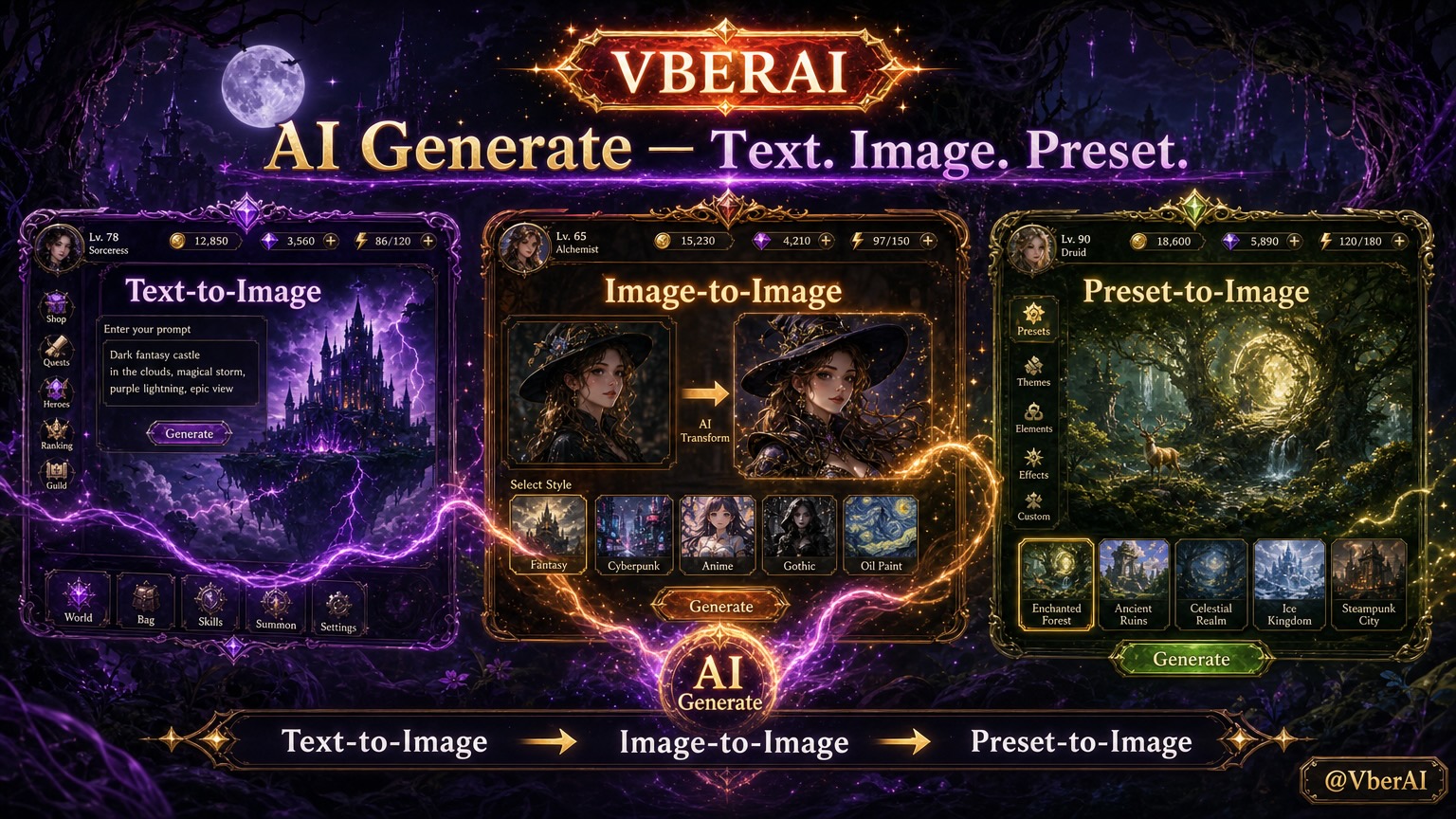
VberAI Studio (short: AI Studio, ≠ Google AI Studio) supports AI image generation: text-to-image, image-to-image, and preset generation. Results land on the same game canvas so you can keep editing, splitting layers, and shipping to the engine—not “download one file and stop.” Available models include GPT Image 2, GPT Image 2.5 (first to ship), Nano Banana 2 Lite / 2 / Pro, and Wan 2.7 / Wan 2.7 Pro (per the product panel)—outputs still stay on the same game canvas.
Start here: AI Studio. Downstream: layer split / in-place slicing, export to engine.
Why game-side image gen should stay on a canvas
Typical consumer tools end at: generate → download → open another app to slice / matte → hand-import into Unity / Godot / Cocos.
AI Studio keeps generation on an editable game workbench: character art, props, promo frames, and UI décor can share the same next steps—edit, split, export or push.
| Mode | You provide | Best for |
|---|---|---|
| Text-to-image | A text prompt (style, subject, use) | Concept art from scratch, event KV, prop drafts |
| Image-to-image | A reference image + optional prompt | Keep silhouette / palette while iterating look |
| Preset generation | In-product style / theme presets | Match an existing visual language with less prompting |
How the three modes work
1. Text-to-image
Spell out use and constraints (for example: mobile event banner, prop on transparent background, one chibi turnaround view). Review composition and edges on the canvas, then decide whether to split or matte.
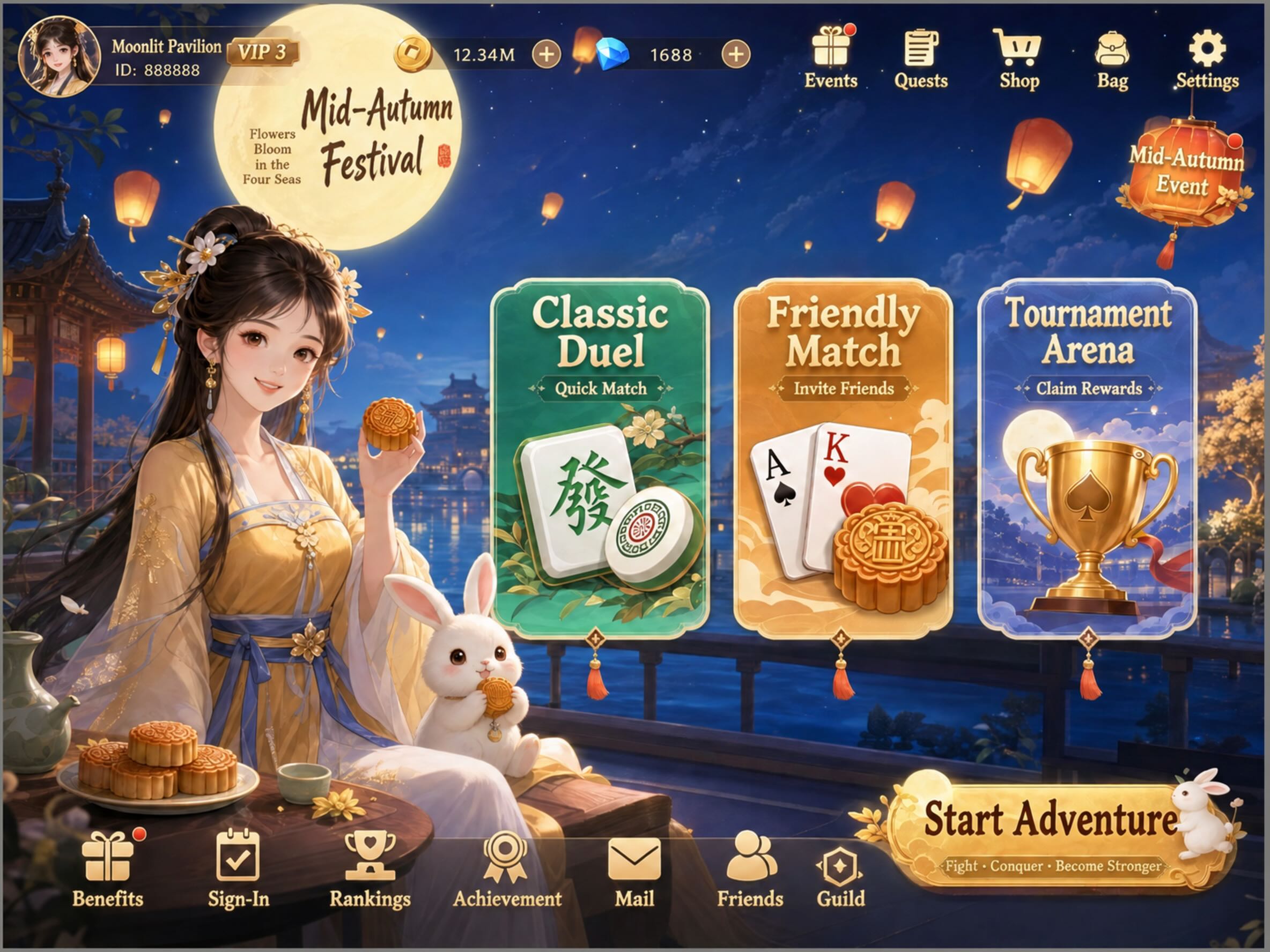
Prompt: Generate a card-battle game home screen with Mid-Autumn Festival theme elements
Result:
2. Image-to-image
Upload or select a reference, then prompt what should change and what must stay. Useful for style transfer or detail passes on existing character / UI art—without rewriting the scene from zero each time.
Prompt: Generate an adventure mini-game home screen with a Halloween theme
Reference: 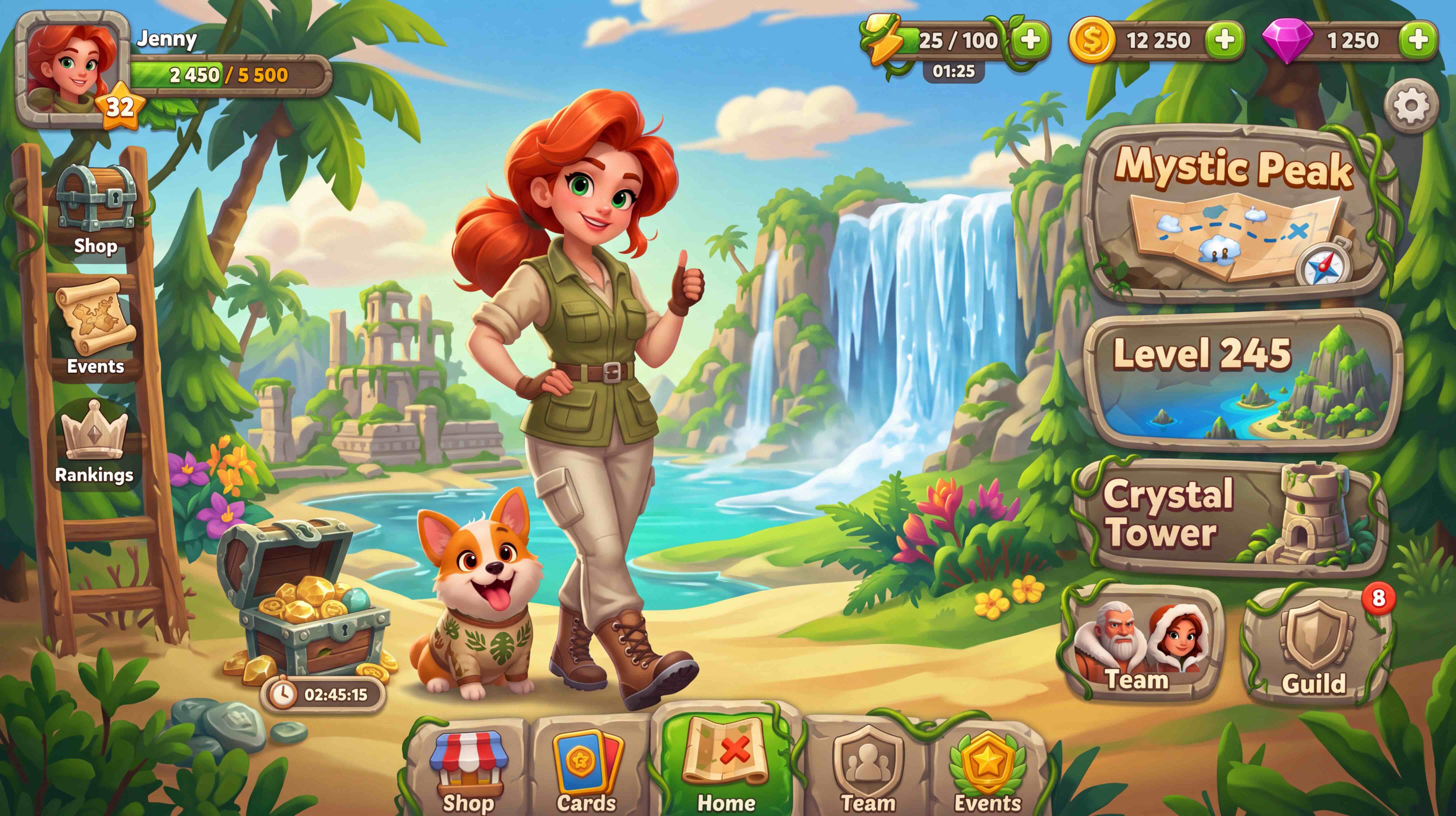
Result: 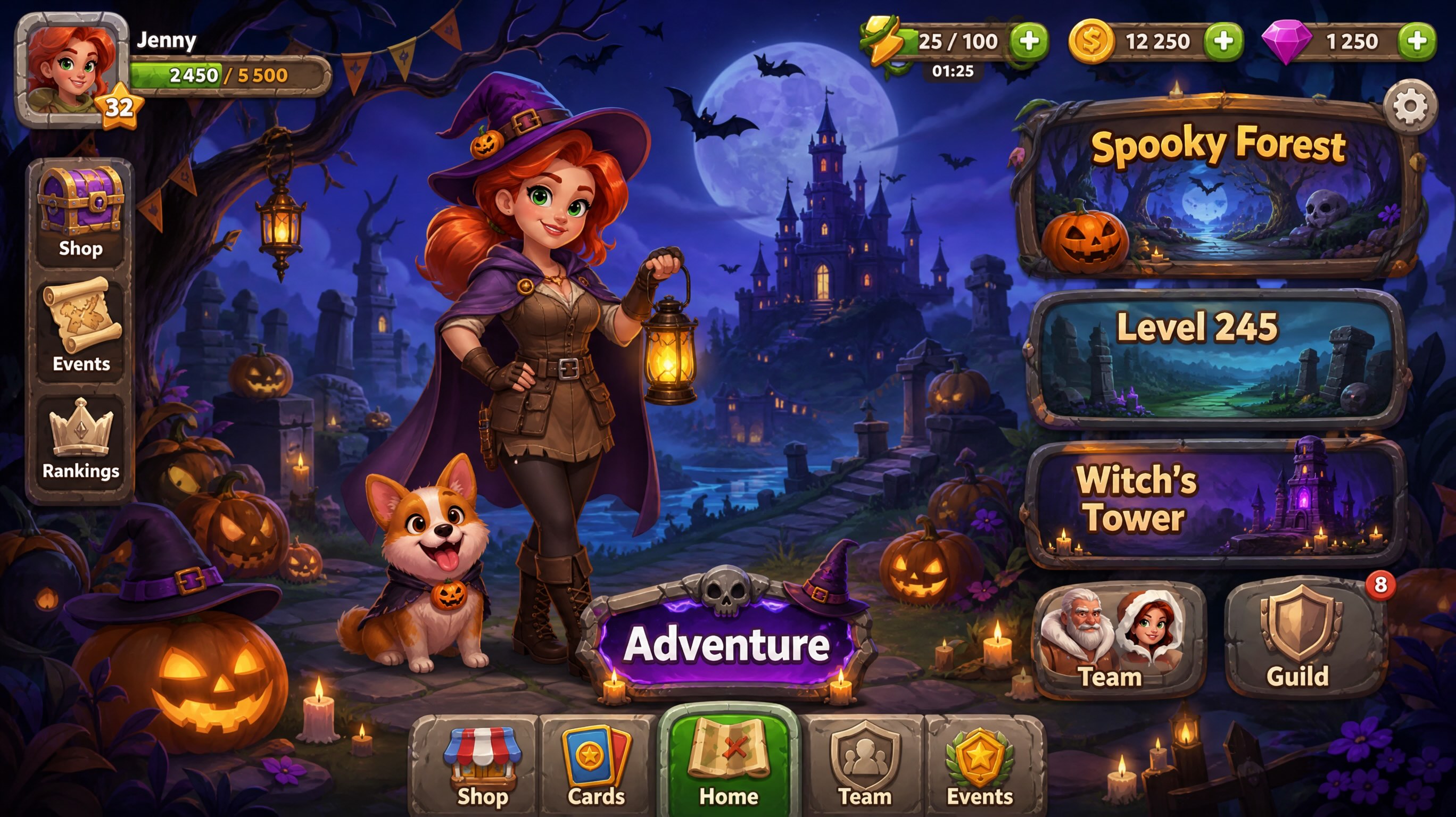
3. Preset generation
Pick a theme or style preset (festival, genre, art direction—per current panel). You can get close to project tone with a short prompt, then fine-tune by hand.
Prompt: Generate a home-screen design for an escape game
Preset style: Gothic fantasy
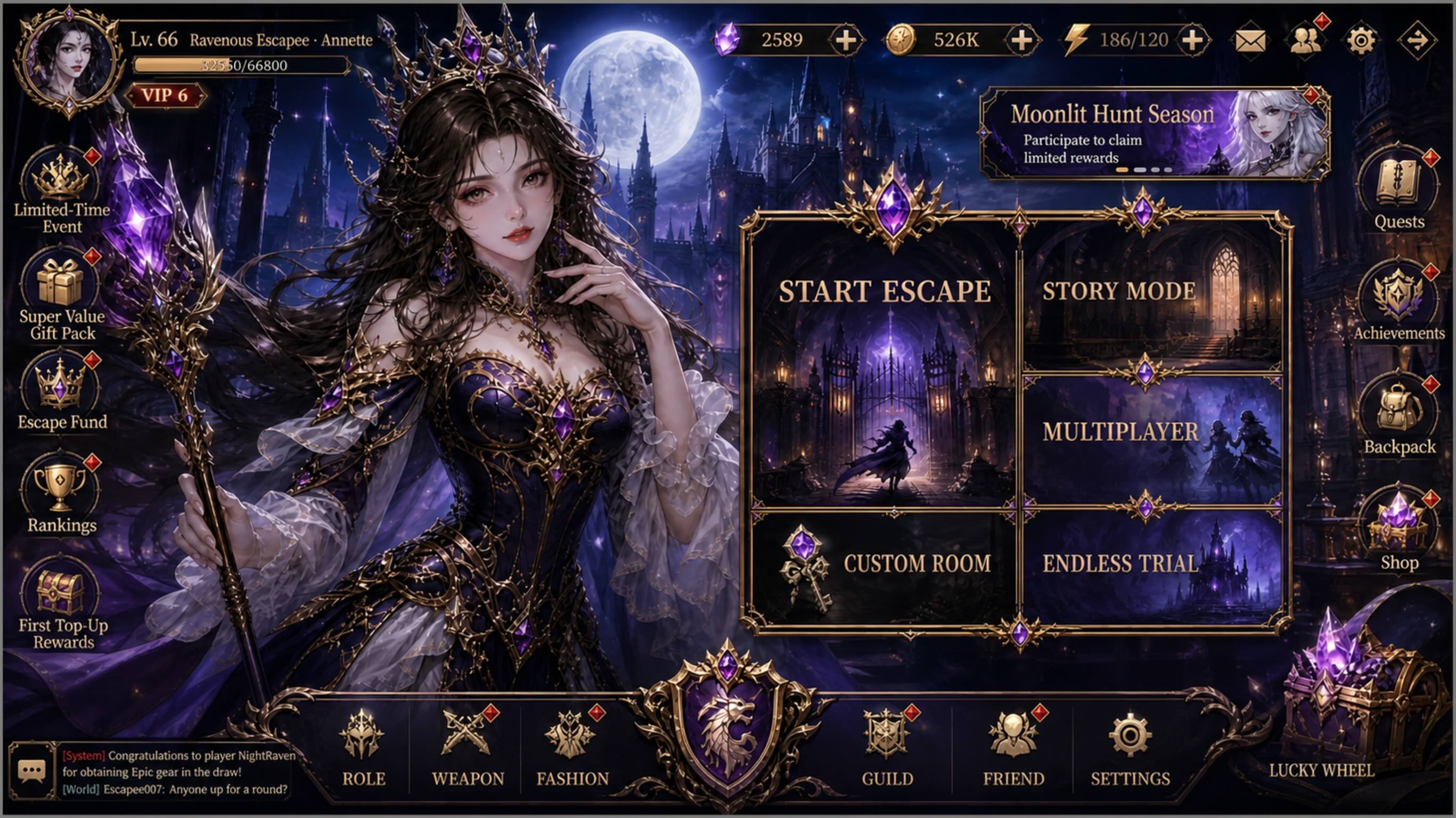
After generation: edit → split → engine
- Keep editing — local redraws, resize, stack layers on the same canvas.
- Split / extract — full screens or complex art can use layer split, or matting for cutouts.
- Into the engine — export or sync to Unity / Godot / Cocos (per current Studio export paths).
The point of the chain: generation is not a dead end; it sits in front of slicing and engine delivery.
Boundaries
- First pass rarely equals shippable final art; character consistency, trademarks, and compliance still need a human pass.
- Final engine asset rules (atlases, compression, naming) still land in the project.
- VberAI Studio ≠ Google AI Studio; see the comparison.
Wrap-up
You don’t need “one more generate button.” You need images that can keep moving in a game pipeline. Text-to-image / image-to-image / presets → edit → split → engine—all in AI Studio.
FAQ
Which image-gen modes does VberAI Studio support?
Text-to-image, image-to-image, and preset generation (per the product panel).
Which image models does VberAI support? Does it include GPT Image 2.5?
Yes. The panel includes GPT Image 2, GPT Image 2.5 (first to ship), Nano Banana 2 Lite / 2 / Pro, Wan 2.7 / Wan 2.7 Pro, and more. Modes remain text-to-image, image-to-image, and presets.
What can I do after generating?
Keep editing on the same canvas, then split / extract, and export or push to Unity / Godot / Cocos.
How is this different from a generic text-to-image site?
Most tools stop at a download. Studio is built for the next game steps: edit, layer split, engine handoff.
What assets is it good for?
Event art, character / prop concepts, UI décor and promo pieces; gameplay-critical finals still need art and engine QA.
Keep reading
More guides you might like
Build Production-Ready Game UI in 3 Minutes with AI Studio (Video Guide)
Official VberAI YouTube walkthrough—import PSD/Figma with VberAI Studio and export game UI to Unity, Cocos Creator, and Godot in minutes.
- vberai
- ai-studio
- video
- psd
Mobile HUD Information Hierarchy: What to Show in Combat, Lobby, and Modals
HUD visibility and priority by game state; how it ties to Safe Area, floating text layers, and modal stacking—spec tables plus Play and device acceptance steps.
- game-ui-design
- game-dev-ai
- ui-to-engine
- hud
AI Game UI: Don't Edit Prefab YAML—Use the Canvas to Export Unity / Godot / Cocos
Why LLMs should not read or write Prefab YAML when assembling game UI with AI. Middle-layer workflow, deterministic export, and VberAI Studio canvas path from Figma / PSD to Unity, Godot, and Cocos Prefabs.
- game-ui-design
- game-dev-ai
- ui-to-engine
- figma-to-unity