
VberAI Studio: Text-to-3D & Image-to-3D — GLB, Rigging, Unity Export
VberAI Studio AI 3D generation: text/image-to-3D, PBR, GLB/FBX/USDZ, retopo, 100+ motions, 3D animation, 3D print/STL. Free trial; Unity, Godot, Cocos export.
- vberai
- ai-studio
- 3d-model
- text-to-3d
- image-to-3d
- meshy
- tripo
- hunyuan3d
- glb
- fbx
- usdz
- pbr
- retopology
- game-dev
- 3d-printing
- tutorial
- 2026
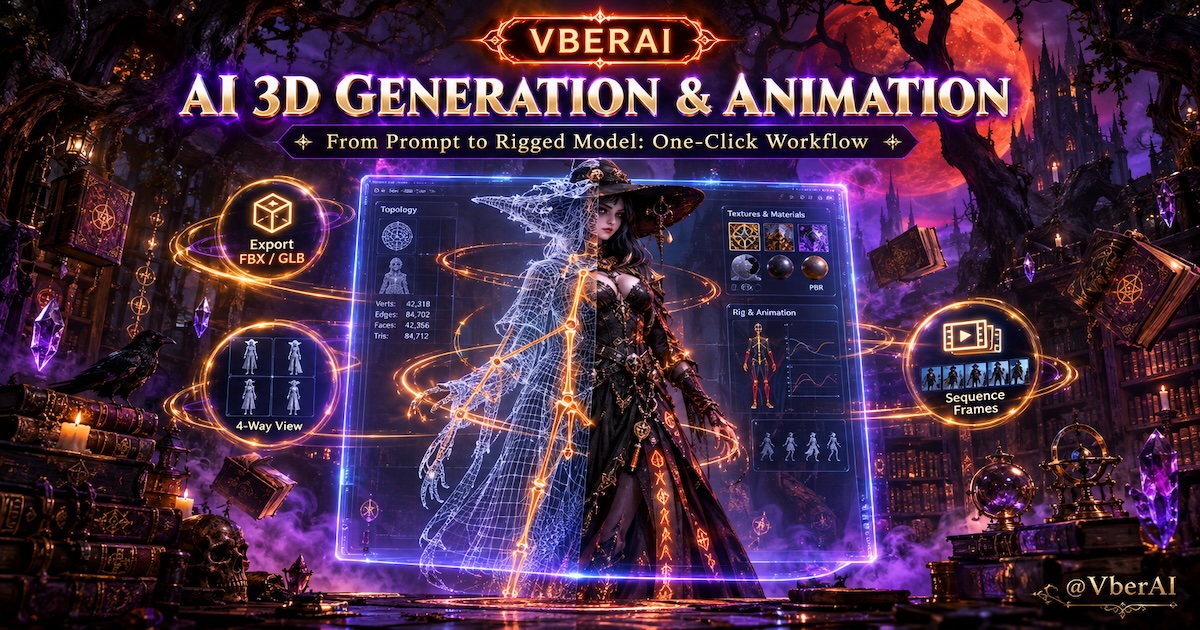
VberAI Studio now supports AI 3D model generation: image-to-3D (photo / picture to 3D) and text-to-3D. Pick models such as Meshy 7.1, Tripo H3.1 / P2, and Tencent Hunyuan3D 3.1 Pro / V3, export GLB / FBX / USDZ, then keep working on the same 3D canvas—rigging & animation, retexture, topology cleanup, 3D workbench previews (materials, lighting, render style, components), still frames, 4- / 8-view renders, sequence frames, model export, and game engine handoff. Not “download a GLB and stop.”
Start here: VberAI Studio (free trial available). Pairs with AI image generation, UI split to engine, and sequence frames / video.
| Spec | Detail |
|---|---|
| Product | VberAI Studio |
| Modes | Image-to-3D (photo to 3D) · Text-to-3D |
| Models | Meshy 7.1 · Tripo H3.1 / P2 · Hunyuan3D 3.1 Pro / V3 (Image / Multi-image / Text) |
| Mesh | Standard · Low poly · Smart topology |
| Topology | Quads · Triangles |
| Formats | GLB · FBX · USDZ |
| Materials | PBR · texture prompts · texture reference images |
| After generate | 3D workbench · renders · export · engine |
| Use cases | Games · 3D printing · animation · interiors · e-commerce · education |
Why 3D belongs on the Studio canvas
Many AI 3D model generators end at: prompt or image → download GLB / STL. Teams still need retopo, PBR fixes, rigging, turnarounds, sequence renders, and Unity / Unreal / Godot / Cocos import.
VberAI Studio keeps text-to-3D / image-to-3D on the same editable workbench as 2D gen and UI slicing: post-gen AI tools, 3D workbench tuning, then export.
| Stage | Download-only tools | VberAI Studio |
|---|---|---|
| Input | Single image or prompt | Front + texture refs (image); text + optional texture ref (text) |
| Mesh | One default | Standard / low poly / smart topology; quads or tris |
| Output | GLB, etc. | GLB / FBX / USDZ |
| After | Done | Rig · retexture · retopo · renders · engine |
Two generation modes
3D generation in Studio has two entries: image-to-3D from reference art, text-to-3D from prompts. Both share mesh, topology, PBR, and GLB/FBX/USDZ options; differences are mostly inputs and text-only generation mode / expanded prompt.
| Compare | Image-to-3D | Text-to-3D |
|---|---|---|
| Input | Front reference; optional texture ref, multi-image | Text prompt; optional texture ref |
| Unique options | Multi image to 3D | Clay / full model preview; expanded prompt |
| Typical start | Existing art, product photo | No 2D art yet—quick form study |
Image-to-3D
Best when you have concept art, product photos, character sheets, or interior object shots and need a preview mesh for engine, marketing, or print prep.
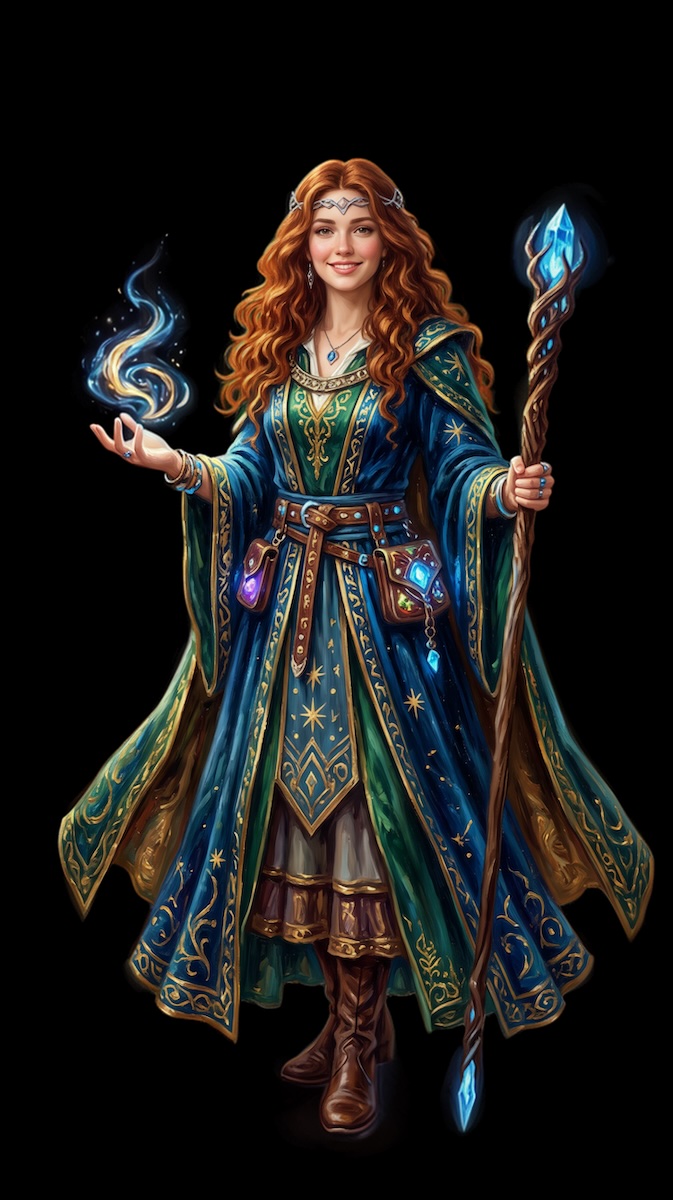
Example settings
- Mesh type
- Standard
- Topology
- Triangles
- Target poly count
- 30,000
- Generate texture
- On
- Texture description
- None
- Model
- Meshy 7.1 — Image to 3D
- Output format
- GLB
- Symmetry
- Auto
- Retopology
- On
- PBR materials
- Off
- Pose
- Default
- Geo resolution
- Standard
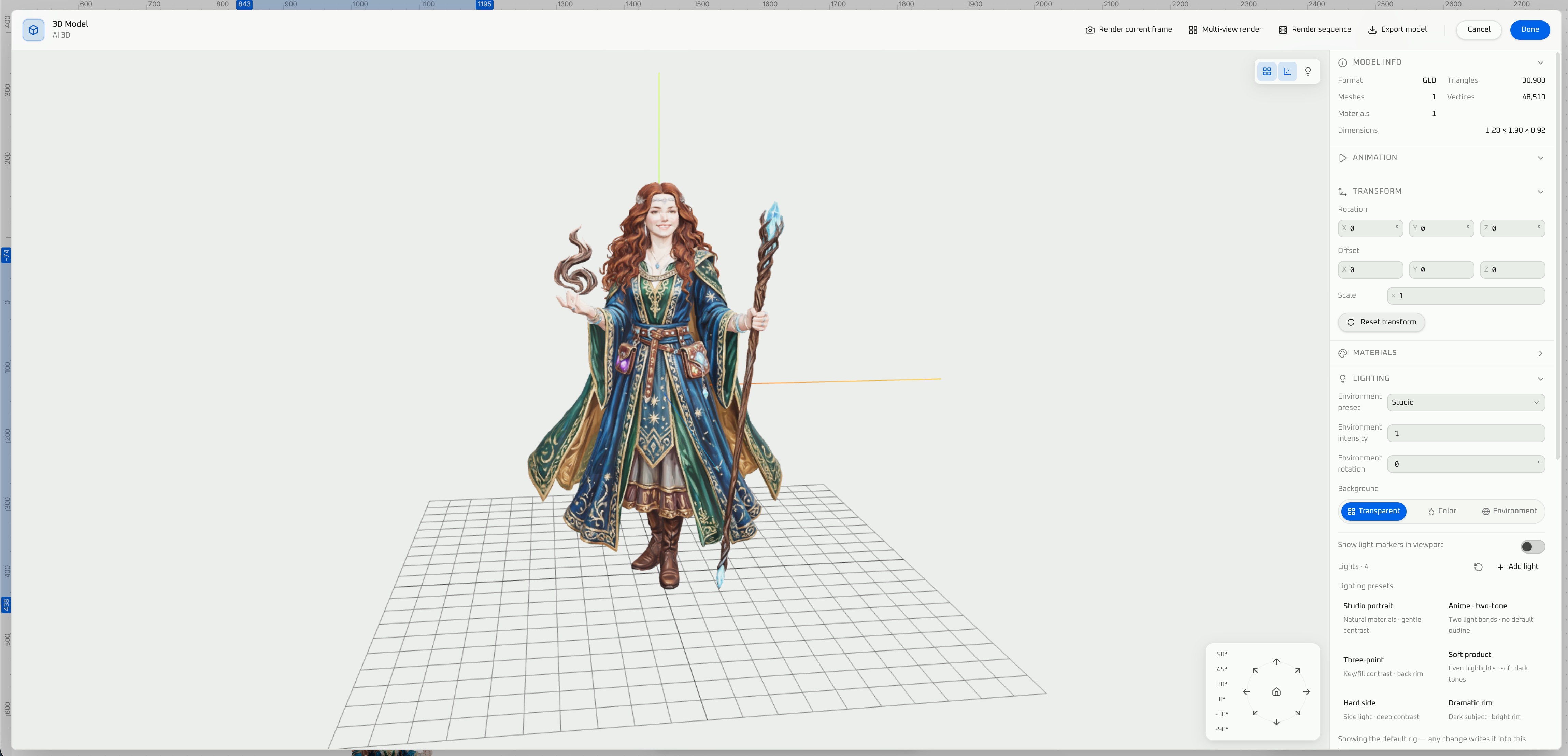
References
- Front reference — silhouette and proportions (single-view image-to-3D).
- Texture reference — color and material cues (shape and color split).
- Multi image to 3D — Meshy 7.1 Multi, Tripo H3.1 Multi, etc. for symmetry and fewer “hallucinated backs.”
Mesh, topology, resolution
| Option | When to use |
|---|---|
| Standard mesh | General balance of detail and poly count |
| Low poly | Mobile, VR, real-time game-ready blockouts |
| Smart topology | Cleaner structure before retopo or rigging |
| Quads | DCC-friendly editing |
| Triangles | Engine/mobile-friendly pipelines |
| Geo resolution: Standard / 2K / 4K | Higher geometric detail; print or hero shots (cost/time vary by settings) |
Texture, PBR, pose
- Texture description — metal, fabric, wear beyond the reference image.
- PBR materials — for engine lighting; disable for clay preview.
- Symmetry — characters, furniture, symmetric props.
- Retopology — at gen time or via optimize topology after.
- Pose: A / T / unspecified — prep for rigging & animation.
Image-to-3D models
- Meshy 7.1 — Image to 3D / Multi image to 3D
- Tripo H3.1 — Image to 3D / Multi image to 3D
- Tripo P2 — Image to 3D
- Hunyuan3D 3.1 Pro — Image to 3D
- Hunyuan3D V3 — Image to 3D
Output
GLB, FBX, USDZ. For 3D printing, convert to STL in a DCC/slicer after mesh repair (see Use cases below).
Text-to-3D
Best for props, furniture, simple characters, and classroom demos when you start from words, not drawings.
Example prompt
Modern minimalist style, smart-home living room panoramic view.
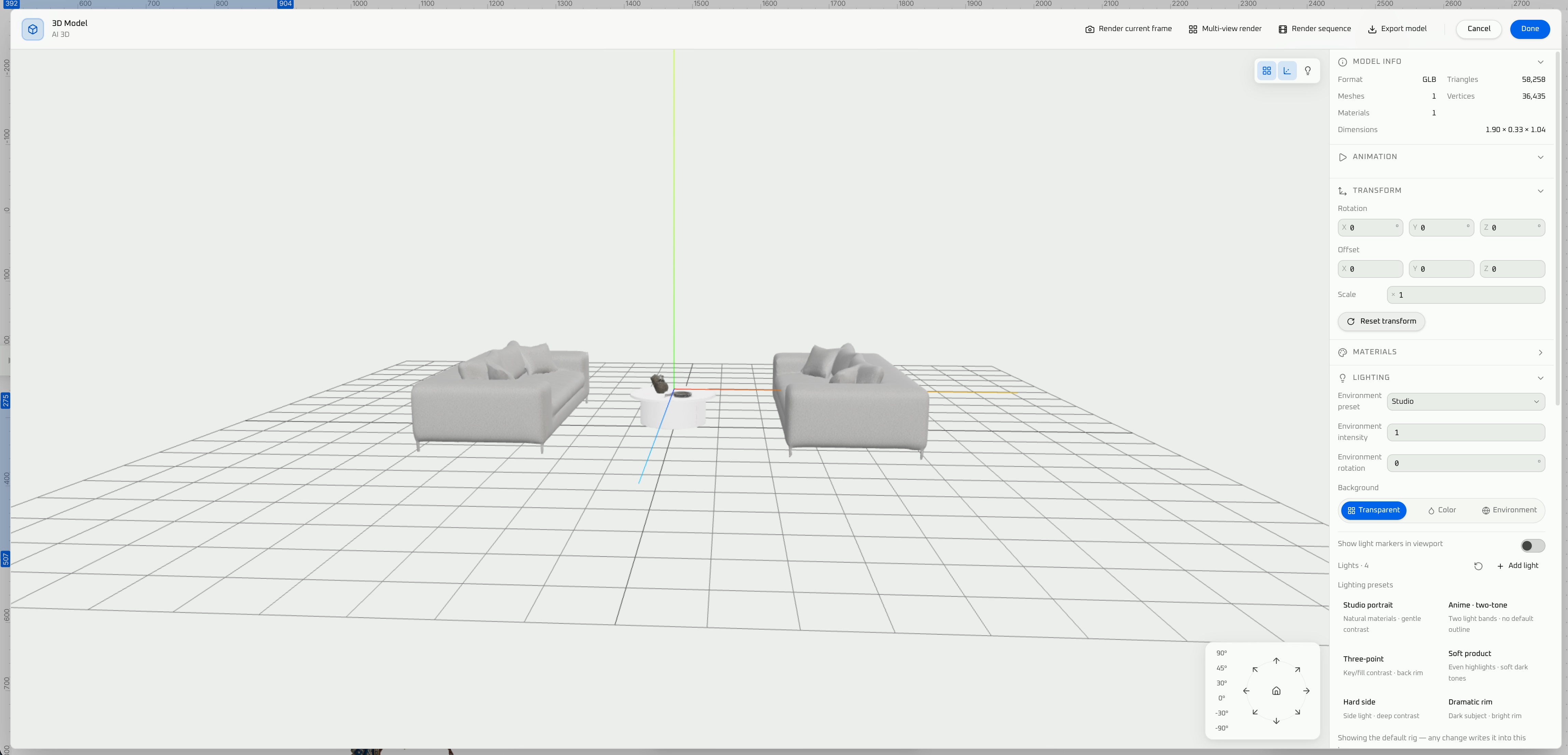
Inputs and modes
- Text prompt — subject, style, intent (e.g. the living room panoramic example above, or “low-poly mobile chest, PBR metal lock”).
- Texture reference (optional) — lock palette and material direction.
- Generation mode
- Clay / white-model preview — validate volume first.
- Full model — textured + PBR in one pass.
Shared controls
Mesh type (standard / low poly / smart topology), topology (quads / tris), texture description, symmetry, retopology, A / T / unspecified pose, geo resolution (standard / 2K / 4K).
Text-only extras:
- Expanded prompt — auto-enrich short prompts so the model guesses less.
Text-to-3D models
- Meshy 7.1 — Text to 3D
- Hunyuan3D 3.1 Pro — Text to 3D
- Hunyuan3D V3 — Text to 3D
Output
GLB / FBX / USDZ.
After generation: 3D workbench & AI edits
On the VberAI canvas:
| Tool | Typical use |
|---|---|
| Rigging & animation | Quick bind/preview before DCC/engine |
| Retexture | Style swaps, PBR alignment |
| Optimize topology | Game-ready cleanup |
| 3D workbench | Materials, lighting, render style, components |
| Render current frame | Marketing stills, homework screenshots |
| 4-view / 8-view renders | E-commerce turnarounds, model sheets |
| Sequence frame render | Turntable-style clips (complements game sequence frames) |
| Export model | GLB / FBX / USDZ to DCC or slicer |
| Export to game engine | Unity / Godot / Cocos export paths |
Use cases
| Scenario | Suggested path | Acceptance |
|---|---|---|
| Game development | Image-to-3D + low poly/smart topo + PBR → retopo → engine | Poly budget, textures, clean import |
| 3D printing | Image-to-3D + higher geo res → export → watertight fix → STL | Wall thickness, supports; AI meshes often need manual fix |
| 3D animation | Text/image + T/A pose → rig → sequence or FBX to DCC | Professional weight painting still manual |
| Interior design | Text-to-3D or single photo + 8-view renders | Style/proportion; not CAD-precision |
| E-commerce | Image-to-3D + texture ref + PBR + 8-view | Color match vs. physical SKU |
| Classroom | Text-to-3D clay → full model → still render | Concept demos; check school AI policy |
Picking a model (quick)
| Goal | Try first |
|---|---|
| English prompts, fast props | Meshy 7.1 (Text / Image / Multi) |
| Multi-photo hard-surface | Tripo H3.1 Multi image to 3D |
| Tripo P2 pipeline | Tripo P2 Image to 3D |
| Complex forms / CN ecosystem | Hunyuan3D 3.1 Pro / V3 |
Compare silhouettes in the 3D workbench before final export. Credits and timing vary by model and settings.
Workflow (summary)
- Open VberAI Studio → 3D generation (text or image).
- Add front / texture references or text + optional texture ref.
- Set mesh, topology, geo resolution, pose, PBR as needed.
- Choose Meshy / Tripo / Hunyuan3D entry and GLB / FBX / USDZ.
- Rig, retexture, retopo; tune in 3D workbench.
- Render still / 4–8 views / sequence, or export model / engine.
Limits
- Great for prototypes, placeholders, marketing, teaching—not AAA hero assets without DCC pass.
- 3D printing: always repair mesh before STL; verify in slicer.
- Model list and quotas change—see VberAI Studio for the latest options.
- With AI images: build multi-view boards first, then Multi image to 3D for consistency.
Takeaway
Text-to-3D / image-to-3D gets you to a preview mesh; VberAI Studio keeps you inside a team pipeline—PBR, retopo, 3D animation and motion library, rigging, renders, GLB/FBX/USDZ, 3D printing (STL), and engine export on one canvas for games, print, animation, interiors, commerce, and classrooms.
FAQ
Does VberAI Studio support text-to-3D and image-to-3D?
Yes. Image mode supports front and texture references; text mode supports clay preview and full model.
Which AI 3D models are available?
Meshy 7.1, Tripo H3.1 / P2, Hunyuan3D 3.1 Pro / V3 Image / Multi / Text entries—list updates over time.
Can I export GLB and FBX?
Yes, plus USDZ for AR. Check scale and axis in engine/DCC.
Image-to-3D vs text-to-3D?
Image: picture / photo to 3D with reference art or photos (incl. multi-view). Text: you start from language only.
Is there a free trial?
Yes. VberAI Studio offers a free trial. Sign up at Studio to try AI 3D generation and post-gen editing.
How long does AI 3D generation take?
Depends on model, mesh settings, and resolution.
Low poly vs smart topology?
Real-time games → low poly; DCC edit → quads + smart topology; mobile hard-surface → tris often fine.
Rigging and sequence renders after gen?
Studio includes rigging & animation and sequence frame render in the 3D workbench; ship-grade animation still needs DCC/engine QA. For 3D animation clips, see the next question.
Can I generate 3D video or 3D animation?
Yes. After the model is on canvas, open rigging & animation: rig characters (or rig-capable assets), pick from over 100 built-in motions, preview in the 3D workbench, then use sequence frame render or Studio video / sequence export for 3D animation clips. Editorial cuts, lip-sync, and polish still belong in DCC or your engine.
Why not use Meshy/Tripo/Hunyuan sites alone?
Studio adds post-gen edit, rendering, and game engine export on the same canvas as 2D gen and UI tools.
OK for 3D printing?
Good for prototypes and display models; repair watertight mesh and export STL before slicing.
Keep reading
More guides you might like
Build a 3D RPG with Unity MCP: Third-Person Control, Combat, and Quests
A practical Unity MCP walkthrough for a playable 3D RPG prototype—third-person movement, real-time melee, enemy state machines, and quest wiring in Cursor or other MCP AI IDEs. Polish UI later when you need it.
- Unity MCP
- 3D RPG
- Unity
- combat
AI Game Development Tools 2026: Unity, Godot & MCP Hub
AI game development tools 2026 for Unity and Godot: Engine MCP, Cursor/Claude Code, AI Studio UI hub—linked guides and a one-week trial plan.
- ai-game-development
- unity-game-development
- godot-game-engine
- unity-mcp
Automated Game Testing with an AI IDE + Engine MCP: A Practical Path
For Unity, Godot, and Cocos projects: use Cursor (or similar) with engine MCP for repeatable smoke checks, convention audits, and test scaffolding.
- game testing
- MCP
- AI IDE
- automation