
Unity Generate UI vs Design-to-Engine: When to Generate in Editor, When to Export from Canvas
Unity 6 Editor AI/UI generation vs Figma·PSD→Studio canvas→Prefab: boundaries, fail criteria, and acceptance steps. A pipeline decision guide—not a step-by-step Generate tutorial. Aligns with MCP logic binding and pre-ship checklists.
- game-ui-design
- game-dev-ai
- ui-to-engine
- unity
- figma-to-unity
- ui-toolkit
- vberai
- 2026
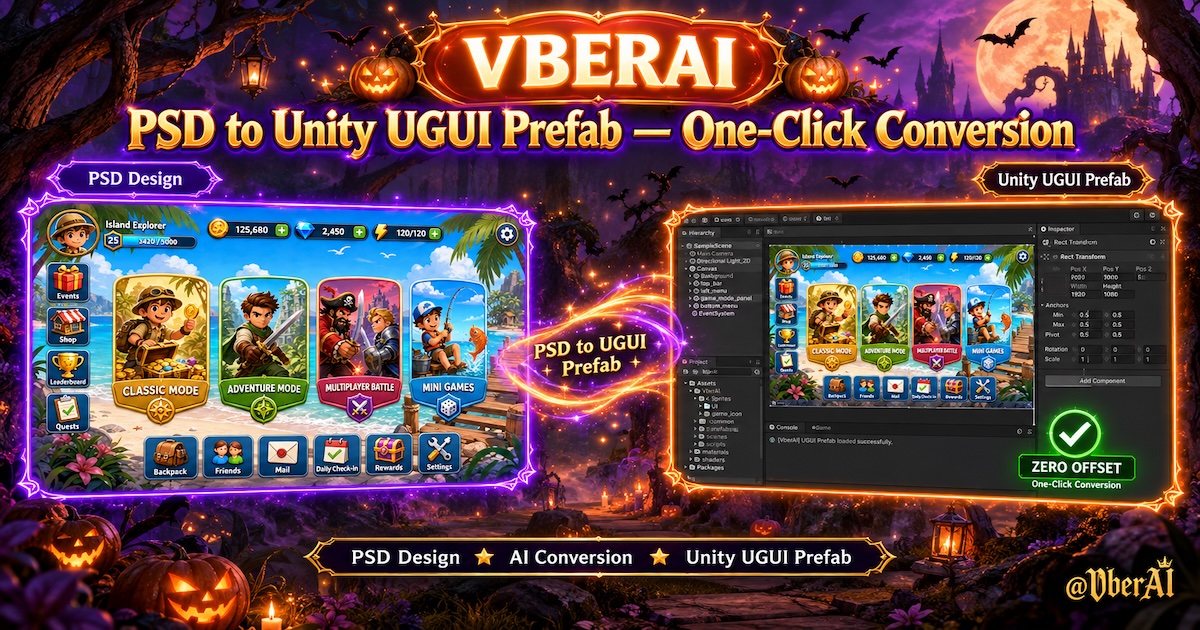
From Unity 6 onward, the Editor adds natural-language / Generate UI paths to build screens in-project (typical output: UI Toolkit UXML/USS; exact menus and capabilities vary by Unity version—this post does not walk through clicks). Many teams also run Figma / PSD → VberAI Studio structured canvas → deterministic Prefab export (canvas → Prefab, PSD to UGUI). Both can ship UI, but artifact shape and maintenance differ. Mix them without written boundaries and you often get: one screen AI-generated while reskin updates only the exported Prefab—the Generate screen becomes an orphan.
Below is pipeline choice and acceptance only (not Unity’s official feature tutorial): when to Generate inside the Editor vs when to keep a design source + export; Prefab and Play rules align with engine + MCP checklist and pre-ship checklist.
Godot / Cocos: No Editor-built “describe the whole screen” equivalent to Unity Generate UI. Tooling pages without design still mean scene work or Studio/export; design-driven + Prefab acceptance applies the same way.
Fail criteria (any one = not passed): one feature has two untraceable UI sources (part of the Scene AI-only, part Studio/Figma export, spec silent); Generate output not checked in as Prefab, left in a test Scene only; pixel/layer mismatch vs spec with no written waiver; reskin / multilingual updated everywhere except the AI screen; Raycast / button states disagree with handoff item 5 and the Generate screen was never accepted on its own.
What each path is for
| Dimension | Unity Editor Generate UI / AI assist | Design → Studio canvas → Prefab export |
|---|---|---|
| Input | Text prompt, sketch, existing Scene context | Figma / PSD / full-screen split |
| Typical output | UXML/USS (UI Toolkit); some flows land in Scene hierarchy—still must Prefab | Project UGUI Prefab (or exporter-configured stack) |
| Best for | Internal tools, debug panels, layout experiments | Shipping HUD, shop, event skins, same structure across locales |
| Weak for | Brand-perfect 1:1 art, frequent reskin | No design source, verbal-only screen spec |
| Maintenance | Who owns UXML/USS edits; can Generate overwrite again? | Design source + full-tree re-export (i18n, reskin) |
Terms: Unity Canvas means the UGUI Canvas in a Scene; Studio canvas is VberAI’s middle-layer split/export—not a Unity component.
Rule of thumb: screen will change art often, reskin, or go multilingual → design-driven + deterministic export first. One-off, simple logic, no design file → Generate in Editor is OK, but still Prefab + checklist. If your Editor has no Generate, follow only the second half.
When Generate is OK (still must accept)
Use Editor generation when most of this holds—it does not replace design workflow:
| Condition | Notes |
|---|---|
| No Figma/PSD frame | Spreadsheet tools, GM panels, temp config pages |
| UI Toolkit allowed | UXML/USS alongside UGUI is documented; UGUI Canvas vs Toolkit Panel sort order in spec |
| Low change rate | Little post-ship reskin; no Studio full-tree re-export dependency |
| Logic over look | Stock controls OK; no heavy nine-slice panels |
After Generate (6 steps):
- Prefab in VCS — not only a test Scene (pre-ship item 6).
- One UI stack policy — if main HUD is UGUI, mark Toolkit screens as exceptions in spec to avoid EventSystem / input chaos.
- Raycast and button states — same bar as MCP checklist items 7–8.
- Safe Area / Scaler — same baseline as global HUD (Safe Area QA).
- Locales — if the screen ships multilingual, replace generated copy with string tables + stress-language smoke; generation ≠ final copy.
- MCP for logic — shell from Generate; MCP checklist for Play—“generated” ≠ tappable or state-correct.
When Generate must not replace design-to-engine
| Signal | Use instead |
|---|---|
| Full Figma/PSD, need 1:1 | Figma → Unity or PSD pipeline; Generate for personal drafts only |
| Event reskin, same structure per locale | Studio / export chain; Generate screens won’t batch with reskin |
| Sliced art / bitmap-font HUD | Nine-slice, damage numbers need art spec; Generate rarely guarantees insets/fonts |
| No LLM editing Prefab YAML | Same as canvas to engine: structural changes via deterministic export, not generator edits to repo YAML |
Fix routing
| Symptom | Likely cause | Action | Owner |
|---|---|---|---|
| One screen old after reskin | Generate-only, not in design source | Add design frame, accept permanent Toolkit, or re-export replace | Eng + design |
| Locales break only on Generate screen | Hard-coded strings | String tables or translation export | Eng + loc |
| Clicks fight UGUI HUD | Toolkit/UGUI mix undocumented | Unify input module or split Canvas | Eng |
| Generate overwrote hand edits | Re-Generate same UXML | Freeze Prefab; hand-fix in VCS | Eng |
| Looks wrong vs mock | Generate used for shipping UI | Figma/PSD → Prefab | Design + eng |
FAQ
Is Generate UI the same as Cursor editing Prefabs?
No. Generate builds UI structure in the Editor; Cursor + MCP fits reference binding and Play smoke. Neither replaces design handoff checklist or deterministic export.
All UGUI project—still Generate?
Yes, as exception stack documented in README/spec; otherwise QA applies UGUI bars to Toolkit screens.
Prototype screen in production build?
If it ships, Prefab + pre-ship checklist; else #if DEVELOPMENT_BUILD or isolated Scene—don’t mix into main HUD.
VberAI Studio vs Unity Generate—pick one?
No. Studio is design → Studio canvas → Prefab; Generate is no-art quick UI in-project. Shipping screens favor Studio/export; Generate fills undesignated tool pages.
No Generate UI in our Unity version?
Skip the Generate branch; design-to-engine + six acceptance steps + fix table still apply. Godot/Cocos teams use the same rule: art → export; no art → Prefab + acceptance.
Keep reading
More guides you might like
Build a 2D Platformer with Godot MCP: Movement, Levels, and Enemies
Ship a Godot 4 platformer prototype via MCP: CharacterBody2D feel, TileMap levels, simple enemies; bring in VberAI Studio when you need real HUD/title UI.
- Godot MCP
- 2D platformer
- Godot 4
- GDScript
Mobile HUD Information Hierarchy: What to Show in Combat, Lobby, and Modals
HUD visibility and priority by game state; how it ties to Safe Area, floating text layers, and modal stacking—spec tables plus Play and device acceptance steps.
- game-ui-design
- game-dev-ai
- ui-to-engine
- hud
VberAI Studio: Game sprite image puzzle vs. video frame splitting, how to integrate with Unity / Godot / Cocos
VberAI Studio generates action video, splits sequence frames on canvas, and delivers to Unity, Godot, and Cocos. Compare GPT Image sprite sheets and open-source DIY pipelines: which saves time, when to use Studio.
- vberai
- ai-studio
- sprite-frames
- sequence-frames