
AI Game UI: Don't Edit Prefab YAML—Use the Canvas to Export Unity / Godot / Cocos
Why LLMs should not read or write Prefab YAML when assembling game UI with AI. Middle-layer workflow, deterministic export, and VberAI Studio canvas path from Figma / PSD to Unity, Godot, and Cocos Prefabs.
- game-ui-design
- game-dev-ai
- ui-to-engine
- figma-to-unity
- psd-to-unity
- unity
- godot
- cocos
- vberai
- ai-studio
- prefab
- cursor
- mcp
- 2026
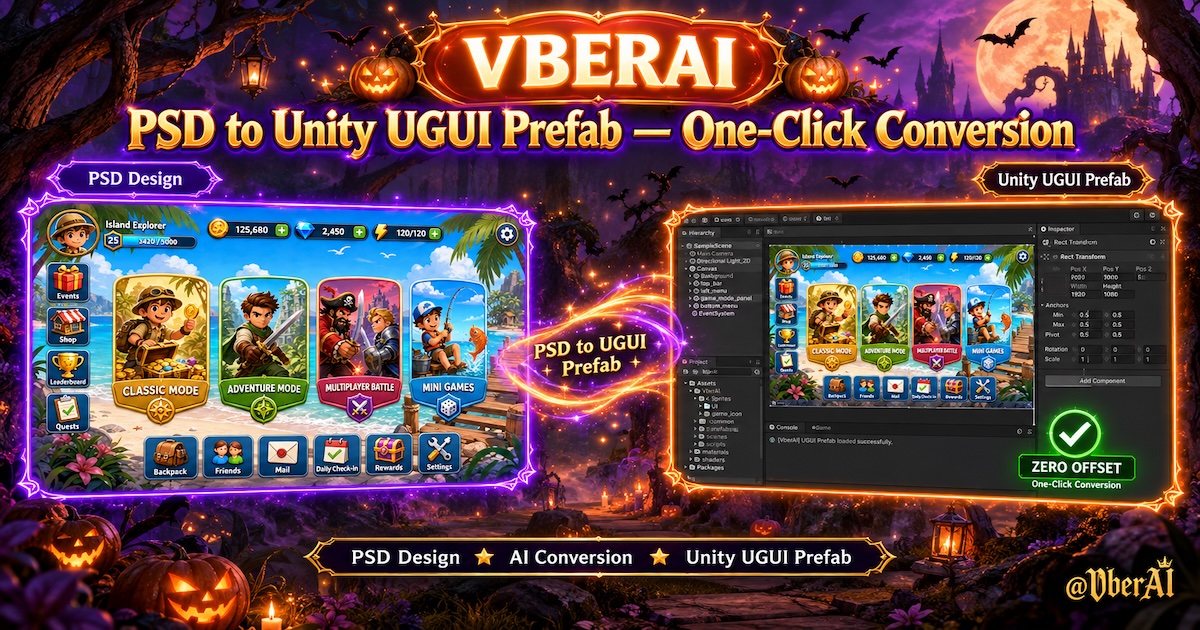
Ask Cursor to “assemble this HUD in Unity,” and it often reads .prefab text and edits thousands of lines of YAML—slow, high Token cost, and risky for GUID and .meta references.
The safer pattern: AI never edits Prefab files directly; it works on a middle layer; a fixed exporter builds the Prefab.
This post covers common needs: AI-assembled UI, Cursor editing Prefabs, Unity / Godot / Cocos UI Prefab export, and Figma / PSD into the engine without hand-building Canvas. Below: middle-layer split, then the VberAI Studio (AI Studio, ≠ Google AI Studio) game canvas path—design or AI full-screen UI → canvas split → deterministic Prefab export → Engine MCP for logic.
Why AI should not assemble Prefabs directly
| Issue | What you see |
|---|---|
| Text volume | One screen’s Prefab is often 10,000+ lines—expensive to read/write |
| Time | One generate/edit pass can take 10–20 minutes, hard to iterate |
| Asset risk | YAML edits to references and fileIDs can break GUIDs and links |
| Review | Diffs are mostly serialized fields—high merge risk |
| Iteration | Every UI change means regenerating the whole Prefab—high maintenance cost |
AI fits layout, control choice, and field fill; not the role of Prefab editor.
Correct split: middle layer + deterministic export
Two stages:
AI: understand design → middle representation (not Prefab text)
Fixed tool: read middle layer → instantiate controls → set RectTransform → save Prefab
The middle layer can be a custom project format or VberAI Studio canvas hierarchy. Requirements:
- Clear, compact structure—editable by AI or humans
- Prefab build with no LLM—same input, same output
- Pre-export checks: bounds, required fields, bind names
Gameplay scripts come after Prefab import via MCP; UI structure stays separate from gameplay logic.
AI Studio canvas: preview, slicing, multi-engine export
Custom middle formats usually need control-library scans, spec docs, Editor tools, and slice/reskin pipelines.
VberAI Studio productizes the middle layer and exporter:
| Capability | Role |
|---|---|
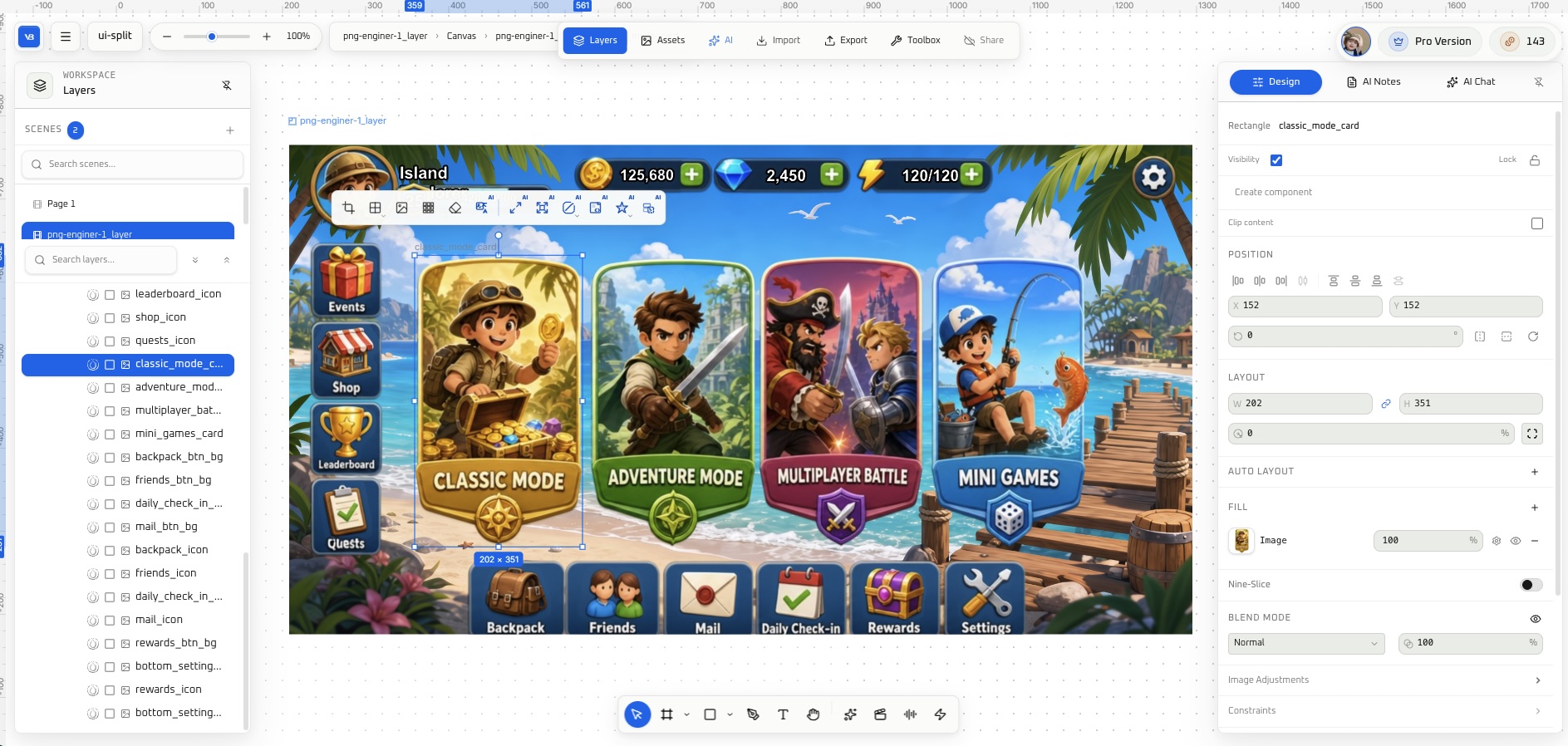
| Game canvas | Preview full-screen UI; adjust spacing and hierarchy before export |
| In-place split | Split buttons and panels at original positions—no global drift in engine (split guide) |
| Multiple inputs | PSD / Figma, AI-generated art, full-screen PNG |
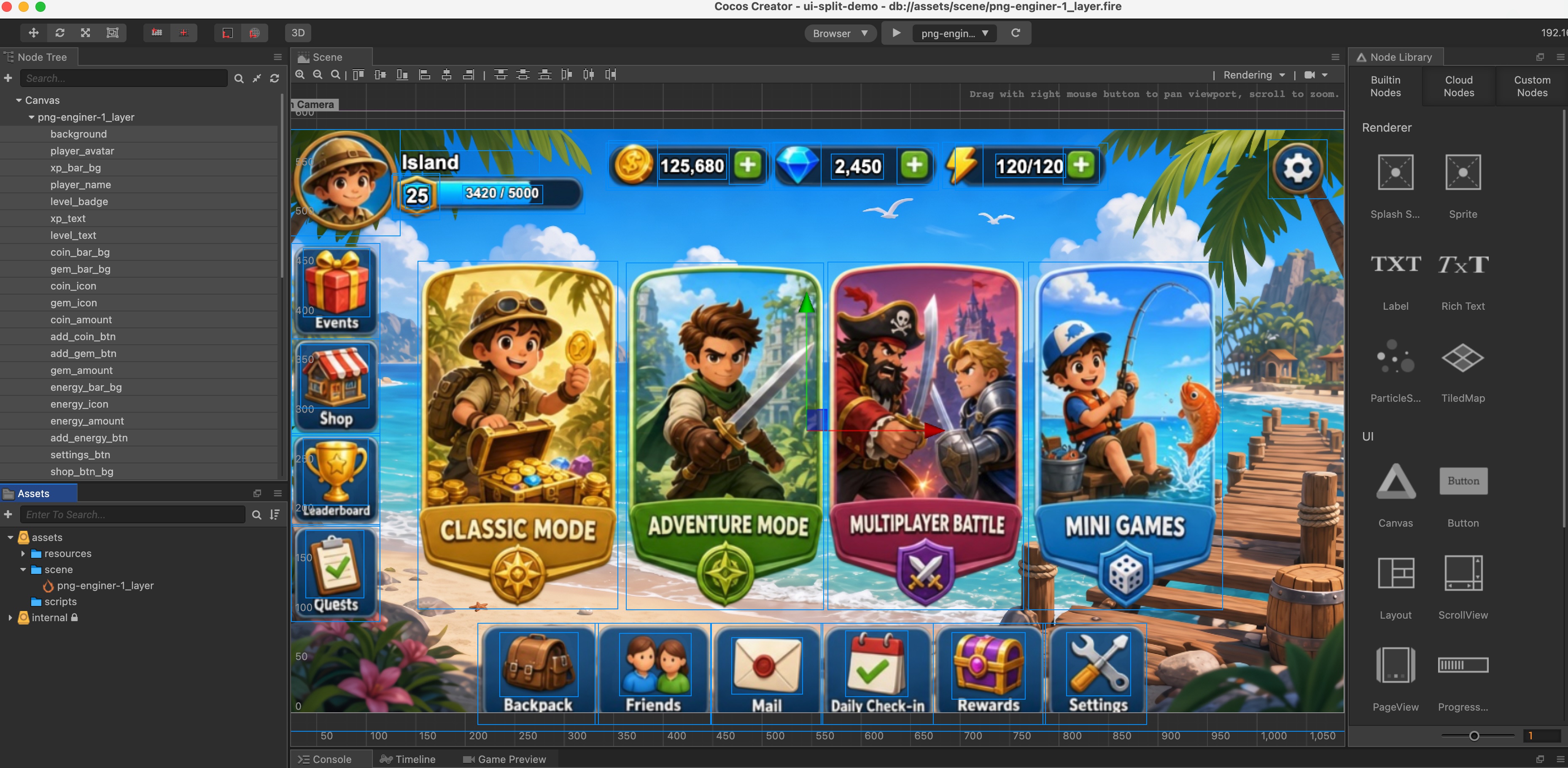
| Multi-engine export | Unity UGUI, Godot Control, Cocos UI same flow |
| Reskin / locales | Reskin, translate, then full-tree re-export |
| Deterministic Prefab | Export has no LLM; YAML is not edited by AI |
Versus pure text UI specs, the canvas also covers visual sign-off, slicing, 9-slice, event skins—all of which bloat a custom spec quickly.
Recommended flow: Figma / PSD → Prefab → MCP
| Step | Task | Owner |
|---|---|---|
| 1 | Layer and name design (or AI Studio generates full-screen UI) | Design / producer |
| 2 | Import VberAI Studio; check hierarchy and hit areas on canvas | Design + engineering spot-check |
| 3 | In-place split → pick Unity / Godot / Cocos → export Prefab | AI Studio (deterministic) |
| 4 | Prefab in project; layout pass per engine import + MCP checklist | Engineering |
| 5 | Cursor + Engine MCP bind Btn_*, health, popups (HUD example) | Engineering |
| 6 | Before ship: pre-launch UI checklist | Engineering + QA |
Delivery rules: design handoff checklist. Broader tool paths: game dev AI tools combo.
Suggested stack: VberAI Studio + target engine MCP + Cursor or Claude Code. Walkthrough: 3-minute UI video.
Pick a path by what you have
| You have | Suggested path |
|---|---|
| Layered PSD / Figma | Import → split → export (Figma to Unity) |
| Full-screen concept PNG | Canvas → in-place split → export (in-place slice) |
| No assets, need a demo | AI Studio generate UI → split → export → MCP bind logic |
Output is always mountable Prefab / UI hierarchy in the engine—not AI rewriting Prefab text on disk again.
FAQ
Can AI generate a Unity Prefab directly?
An LLM can emit Prefab YAML, but it is not recommended: huge text, slow runs, GUID risk, poor review. Safer: AI on a middle layer (canvas or custom spec), fixed exporter for Prefab.
How is Cursor UI assembly different from AI Studio canvas?
Cursor + MCP excels after import—scripts, nodes, Play validation. It is not ideal for safely building full-screen UI Prefab structure. AI Studio handles UI into the engine; together: canvas export → MCP for logic.
How do Figma / PSD reach Unity UI without hand-building Canvas?
Import layered files into AI Studio → in-place split → export Unity UGUI Prefab. Same flow for Godot and Cocos. See Figma to Unity and PSD to UGUI.
How is this different from Google AI Studio?
Google targets general Web and prototypes; game Prefab export is a different job. See Google AI Studio vs VberAI.
We use a custom UI framework—is canvas still useful?
Export is standard engine UI trees. Wrap in your templates after import if needed—still safer than AI editing YAML.
Do event reskins require rebuilding from scratch?
No. Reskin on canvas, re-export Prefab; logic changes little if bind names stay stable.
Keep reading
More guides you might like
Godot MCP vs Manual Scripting: Better Than Text-Only AI?
Is Godot MCP better than text-only AI? Use MCP for prototypes and boilerplate; keep hand GDScript for hot paths and core systems.
- godot-mcp
- vberai
- comparison
- GDScript
How to Choose AI for Game Dev in 2026: Google AI Studio vs VberAI
2026 game-dev AI selection: compare Google AI Studio and VberAI on positioning, architecture, cost, and stage fit—choose by project stage and stack.
- Google AI Studio
- VberAI
- comparison
- game development
Floating Damage Numbers: Handoff Acceptance and Engine Implementation
Fail criteria when popups blur, miss glyphs, sort wrong, or stutter; choosing TMP vs bitmap digits, pools and Canvas order, Unity UGUI acceptance steps, and how design digit art plugs in.
- game-ui-design
- game-dev-ai
- ui-to-engine
- bitmap-font