
VberAI Bitmap Font Generator: Upload Glyphs or Split Sprite Sheets to BMFont
VberAI Studio bitmap font generator: upload glyph images or sprite sheets with auto-split, export AngelCode BMFont (.fnt + PNG), edit on canvas, import to Unity / Godot / Cocos.
- vberai
- ai-studio
- bitmap-font
- bmfont
- fnt
- angelcode
- sprite-sheet
- glyph
- game-ui
- unity
- godot
- cocos
- tutorial
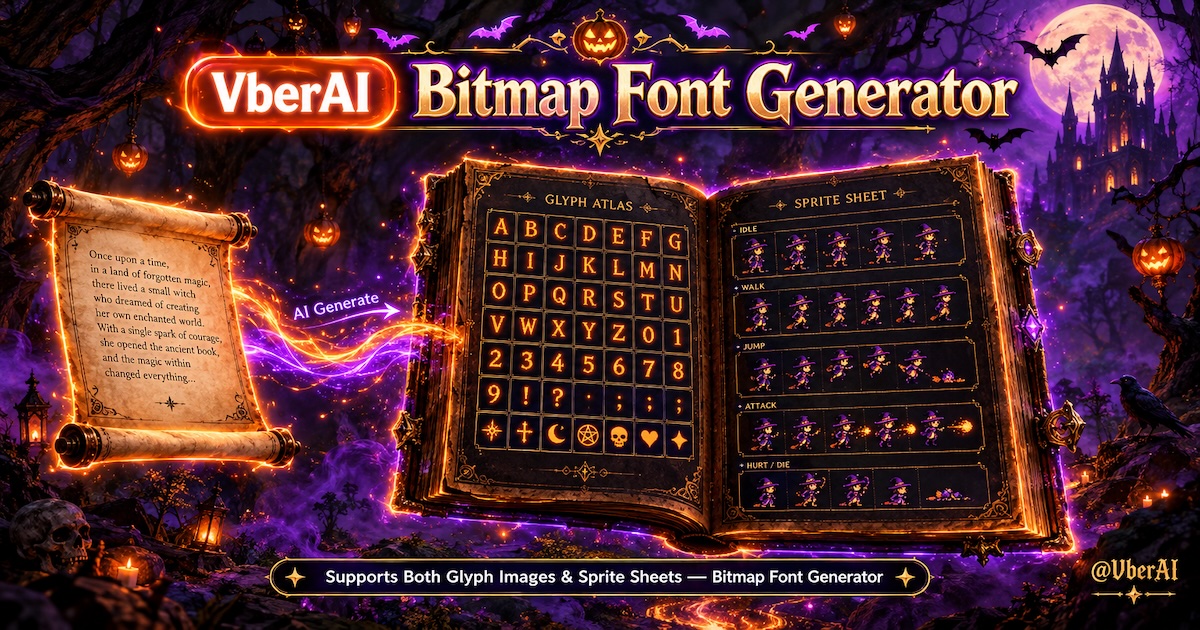
VberAI Studio (short: AI Studio, ≠ Google AI Studio) includes a bitmap font generator: generate from a charset on the panel, upload glyph images, or upload a sprite sheet and auto-split into a game font atlas with metrics. Results stay on the same game canvas for pixelation, matting, or export. The interchange format across engines is AngelCode BMFont .fnt + PNG (export options follow the panel).
Start here: AI Studio. Glossary: bitmap font.
This is the game bitmap font / BMFont workflow: fixed charset and style, with .fnt metrics into Unity / Godot / Cocos.
Why games still need bitmap fonts
Dynamic TTF / OTF is right for long copy and arbitrary sizes. HUD, scores, coin counters, pixel titles, and outlined digits usually need something else: a locked size, style baked into the texture, no blur on scale, and predictable engine load.
Three common detours:
- Force a dynamic font — outlines shatter when scaled up; pixel type goes muddy when scaled down; bilinear filtering softens cell edges.
- Hand-drawn per-glyph PNGs with no metrics — the engine does not know width, height, baseline, or advance, so you are compositing loose sprites.
- Desktop or online BMFont, then download — you leave with an atlas and a
.fnt, then open other tools to clean edges, pixelate, and import into Unity / Godot / Cocos.
AI Studio keeps generation on an editable game workbench: the font is an asset, not a zip that ends the job.
| Standalone BMFont tool | VberAI bitmap font generator | |
|---|---|---|
| Entry | Another desktop app or site | Same AI Studio canvas |
| Input | Mostly rasterize from TTF / system fonts | Panel generate, upload glyphs, upload sprite sheet + auto-split |
| Output | Usually a .fnt + atlas download | Atlas lands on the canvas for further edit |
| Look | Source TTF plus the tool’s effects | Panel style, or reuse uploaded glyphs / sprite art |
| Afterward | Mostly “import into the engine” | Finish on canvas, then ship to engine |
Three ways to feed the generator
Panel labels follow the product. Common paths:
| Path | When to use it |
|---|---|
| Generate from charset | No art yet—need HUD digits, pixel type, or stylized numbers |
| Upload glyph images | Artists already drew per-glyph PNGs; you need .fnt width, height, advance |
| Upload sprite sheet + auto-split | A full 0123456789 strip, glyph grid, or digit sprite sheet to slice and metric |
Sprite-sheet splitting is similar to in-place slice / layer split, but the output is a BMFont atlas + .fnt, not a UI Prefab.
What a bitmap font / BMFont is
A shippable definition:
- Atlas — rasterize the glyphs you need into one (or a few) PNG sheets.
- Metrics file — usually AngelCode BMFont
.fnt: UV, width/height, xoffset / yoffset, xadvance per character. - Runtime — the engine samples the atlas to assemble a Label, instead of tessellating vector outlines on the fly.
It covers fixed-size, fixed-style game text. It is not a TextMesh Pro SDF body font, and it is not a full CJK dynamic font.
| Bitmap font (BMFont) | Dynamic TTF | SDF / MSDF | |
|---|---|---|---|
| Look | Style baked into the texture; pixels can lock | Vector rasterized at each size | Scales relatively clean |
| Best for | HUD, scores, pixel titles, stylized digits | Long copy, chat, settings | UI body that must scale |
| Cost | New size / charset means a new atlas | Outlines and pixel look are hard to control | Pixel-grid lock is weaker than a true bitmap |
When to use it — and when not to
Use it for: health numbers, stage scores, coin / gem counters, skill cooldowns, pixel titles, outlined or metallic number strips. Small charset, fixed size.
Skip it for: dialogue, mail, chat, settings copy; UI body that must scale freely; a full Han / kana / Hangul vocabulary. A complete CJK set explodes atlas size — keep dynamic fonts or SDF for that.
How to generate it in AI Studio
Button labels follow the current panel. The path is four steps.
1. Open the bitmap font generator
On the AI Studio canvas, open the bitmap font generator.
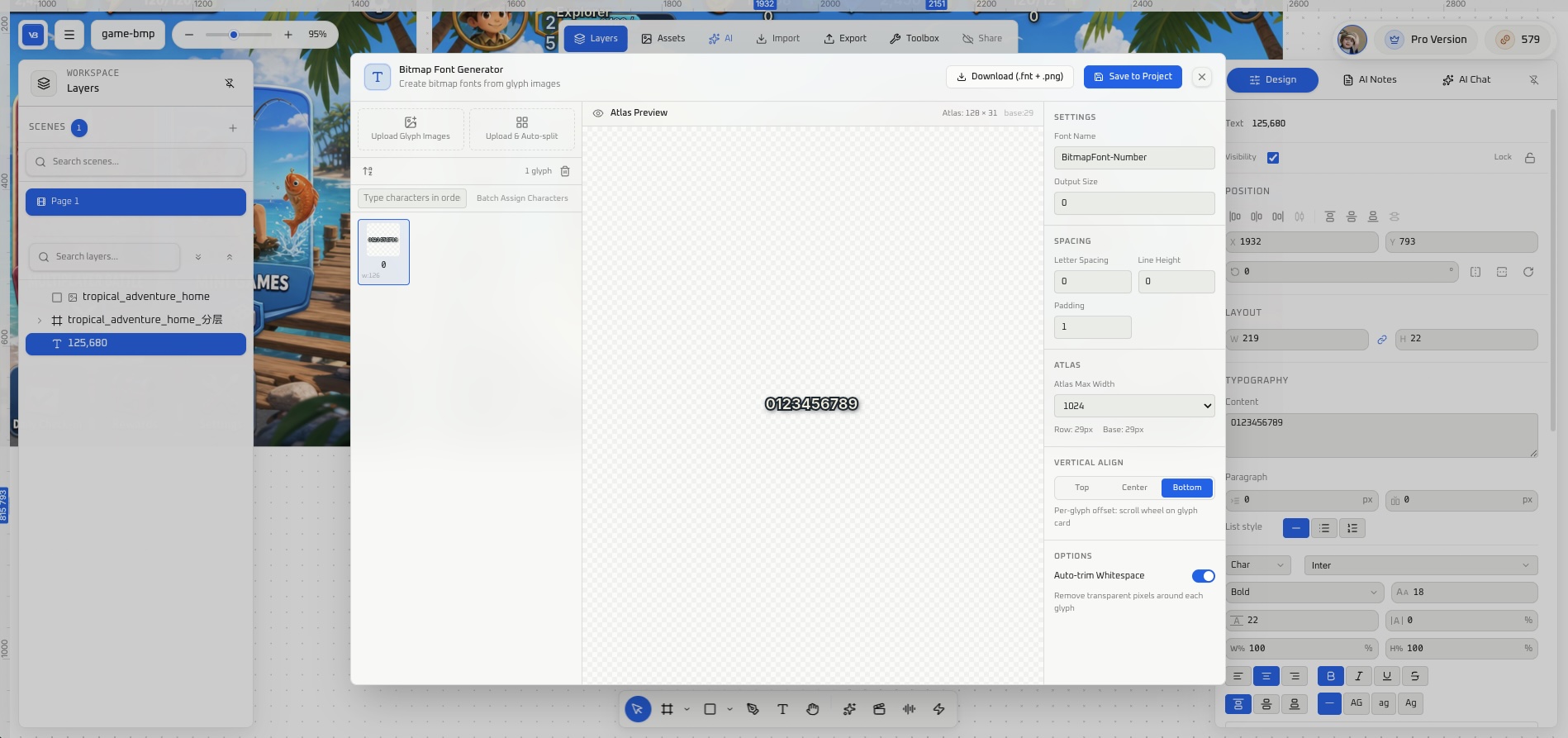
2. Pick an input path, then lock charset and size
Choose panel generate, upload glyph images, or upload a sprite sheet and auto-split (per the panel). Either way, list the characters that will actually appear in-game.
HUD sets often need only 0123456789, +$%/.,, and a few Latin letters. Missing glyphs become blanks or tofu at runtime; extra glyphs bloat the atlas.
Set size to the final HUD pixel size — do not design large and scale down. Scaling a bitmap font scales the texture. After a sprite-sheet split, check cell padding and advance so digits do not collide.
3. Generate and preview the atlas
Check baselines, whether outlines eat into neighbors, dirty glow on semi-transparent edges, and wasted empty space. For a pixel look, chain image pixelate on the same canvas; for a clean alpha, chain matting.
4. Export, then into the engine
Export options follow the panel. For Unity / Godot / Cocos Creator, confirm you have:
- One (or a set of) PNG atlas sheets
- A
.fntfile (AngelCode BMFont text or binary; engine docs key off.fnt)
Filenames, page indices, and the texture references inside .fnt must match — otherwise the engine may accept the font and still show magenta or empty glyphs.
Import into Unity / Godot / Cocos
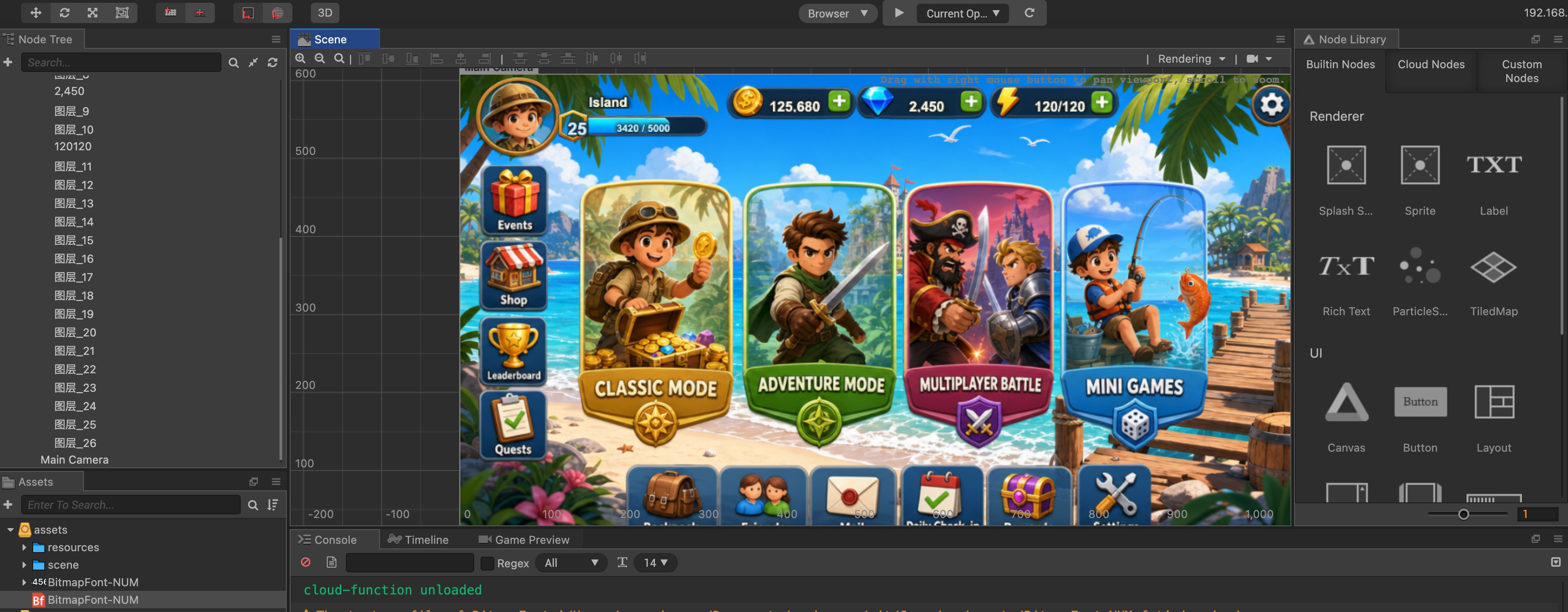
These are acceptance checklists, not full editor tours. After import, render 0123456789SCORE and inspect alignment, tracking, and alpha edges.
Unity
- Set the atlas Filter Mode to Point to lock pixel edges; bilinear filtering blurs them.
- Legacy UGUI: Custom Font + a material that uses the atlas, then assign it to Text.
- TextMesh Pro: build a bitmap font asset in Font Asset Creator, or import the BMFont pair (follow your TMP version).
- Usual rework: empty material slot, or
.fnttexture name ≠ imported texture name.
Godot 4
Godot supports BMFont (.fnt). Keep .fnt and PNG in the same folder, import, and assign to a Label (or RichTextLabel) font slot. A PNG alone has no glyph rectangles.
Cocos Creator
A Cocos bitmap font is .fnt + .png: the .fnt indexes each character thumbnail. Put both in the asset folder and set the Label font type to bitmap font (menu names follow the 3.x panel). Do not mix this up with LabelAtlas (fixed-cell number strips) — LabelAtlas does not carry full BMFont metrics.
Rework checklist
- Missing glyphs — extend the charset and regenerate; do not mix in a second TTF inside the engine.
- Uneven baseline —
1vs0, commas, and decimal points show it first. - Tracking too tight / too loose — edit xadvance in
.fntor retune spacing in the generator. - Dirty outlines — glow overlapping neighbors; leave 1–2 px padding in the atlas.
- Blur when scaled — do not treat a bitmap as a vector; use SDF / MSDF or a dynamic font if you must scale.
- Atlas too large — cut the charset, or split a “digits” set from a “title” set.
Who this is for
Indie devs and small teams shipping HUD scores, pixel titles, and stylized digits—small charset, fixed size, need .fnt + PNG in the build, and tired of bouncing between a desktop BMFont tool and the engine.
Boundaries
- The first atlas is rarely a shippable final; trademark glyphs, missing locales, and extra resolutions still need a human pass.
- Compression, packing, font materials, and filter mode land in the engine project.
- Panel copy, inputs (source font / style reference), and export format follow current AI Studio.
- VberAI Studio ≠ Google AI Studio; see the comparison.
Wrap-up
You do not need “one more online BMFont.” You need stylized digits and pixel type that ship as game assets with metrics. Generate → preview the atlas → clean edges or pixelate on canvas → .fnt + PNG into Unity / Godot / Cocos — all in AI Studio.
FAQ
What is a bitmap font / BMFont?
A bitmap font paints glyphs into a PNG atlas and uses a metrics file so the engine knows how to slice each character. AngelCode BMFont (.fnt + PNG) is the interchange pair Unity, Godot, and Cocos all understand.
Can VberAI generate game bitmap fonts?
Yes. Use the bitmap font generator on the AI Studio canvas—generate from a charset, upload glyphs or a sprite sheet, and keep editing or exporting on the same canvas (per the product panel).
Can I upload glyph images or a sprite sheet?
Yes. Upload glyph images (per-character PNGs, etc.) into the font. Or upload a sprite sheet and auto-split (digit strips, glyph grids) to emit BMFont .fnt + atlas (per the panel).
Bitmap vs dynamic TTF vs SDF?
Fixed-size HUD, pixel titles, and stylized digits → bitmap. Long copy and UI that must scale → dynamic TTF or SDF / MSDF.
What matters on Unity import?
Point filtering on the atlas; Custom Font or TMP bitmap can both consume a BMFont pair, but texture names must match .fnt and the material slot cannot be empty.
Can I bake a full Chinese atlas?
Not practically. A complete CJK set blows up the atlas. Leave bitmap fonts for digits, Latin letters, and a few title glyphs; keep body copy on a dynamic font.
Keep reading
More guides you might like
Game UI Design: Traditional Workflow vs AI Art + VberAI Studio In-Place Split
Compare PS/Figma hand slicing with VberAI Studio: import or AI-generate UI, auto split layers, export layered PSD or image sets. Effects, steps, and demo videos.
- game-ui-design
- game-ui-designer-flow
- ui-slicing
- AIGC
Mobile HUD Information Hierarchy: What to Show in Combat, Lobby, and Modals
HUD visibility and priority by game state; how it ties to Safe Area, floating text layers, and modal stacking—spec tables plus Play and device acceptance steps.
- game-ui-design
- game-dev-ai
- ui-to-engine
- hud
How to Set Up Cocos Creator MCP with Cursor and Claude (Video Tutorial)
Connect Cocos Creator MCP to Cursor or Claude: install the plugin, configure Model Context Protocol, and verify AI can control the editor.
- cocos
- cocos-creator
- mcp
- cursor