
Godot 4 HUD and Theme: Control Tree Handoff and Play Acceptance
Acceptance for Theme, StyleBox, container anchors, and minimum_size when Figma lands in Godot 4. Maps to Unity UGUI checklist bars—six Play steps and fix routing. Handoff guide, not a Theme editor tutorial.
- game-ui-design
- game-dev-ai
- ui-to-engine
- godot
- theme
- hud
- figma-to-godot
- vberai
- 2026
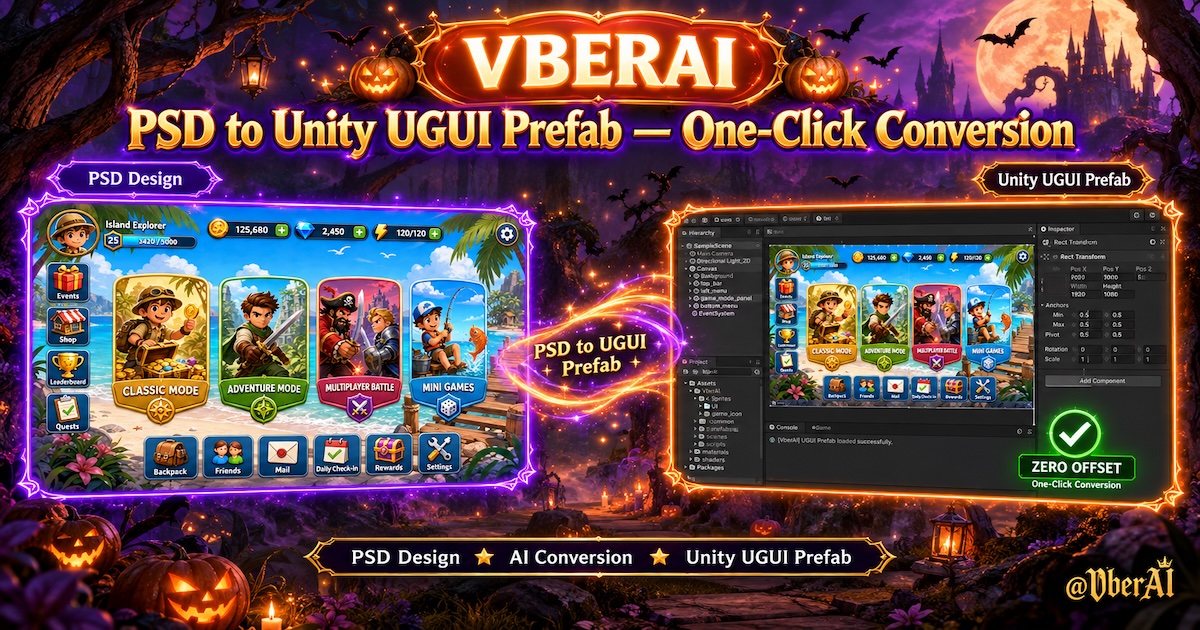
Godot 4 HUD is not done when PNGs sit on TextureRect nodes: StyleBox in Theme, default fonts, the container chain (MarginContainer → HBoxContainer / VBoxContainer), and anchors / offsets together decide whether layout holds across resolutions. Figma Auto Layout can look perfect while Play still shows drifting bottom bars, zero-min buttons, or long copy clipping—usually the Control tree or Theme resource did not match handoff spec.
Below focuses on Godot 4.x Control + Theme. Unity teams can apply the same bar via engine + MCP checklist. Full Figma → Godot flow: Figma to Godot (VberAI Studio exports the Control tree). This post covers HUD shell only: Theme, node naming, Play smoke—not MCP install steps.
Fail criteria (any one = not passed): primary HUD readable controls clipped at target aspect (including Safe Area equivalent DisplayServer.get_display_safe_area()); same button Editor vs exported build size mismatch with no written spec; Theme button states (normal / hover / pressed / disabled, etc.) missing states still shipped; Scene tree changed for one locale only (conflicts with same-structure i18n—see locale overflow); minimum_size unset so nine-slice panel bg looks fine but text hugs edges.
Theme and nodes: what handoff must align
| Design delivery | Godot landing |
|---|---|
| Color / radius / bordered panels | StyleBoxFlat / StyleBoxTexture in Theme (patch margins per nine-slice) |
| Body / title sizes | Theme default font_size + Label type variations if needed |
| Button states | Four StyleBox sets on Button: normal / hover / pressed / disabled |
| Icon + copy | Icon TextureRect with fixed min; copy Label in expandable container |
| Full-screen HUD root | Root Control anchor preset + MarginContainer for safe area |
Naming: Scene node names match Figma component semantics (HUD_BottomBar, Btn_Shop) so MCP / script $ paths stay stable (engine + MCP checklist).
Play acceptance order (6 steps)
1. Lock viewport and safe area
- Set target base width/height in Project Settings → Display (team portrait convention).
- Inset HUD root with
DisplayServer.get_display_safe_area()or Godot 4.2+ SafeArea node; smoke one tall phone (see Safe Area post).
2. Theme as single source of truth
- HUD subtree inherits one
Themeresource, not per-Button manual overrides. - Any override nodes must be listed in spec or reskin will miss them.
3. Container chain and size flags
| Check | Common mistake |
|---|---|
size_flags_horizontal / vertical | Label that should grow lacks Fill/Expand → locale clip |
custom_minimum_size | Button height 0 → touch target too small |
Nested MarginContainer | Double margins → extra blank ring |
4. Locale smoke
- In Localization, switch stress languages (DE/ES, etc.) and ship language; change only
tr()text, not the node tree. - Overflow → locale overflow path (min width / copy / re-export).
5. States and focus
- Keyboard/gamepad focus (if supported): focus StyleBox defined in Theme.
- Disabled buttons still blocking clicks (
mouse_filter,disabledstate).
6. Exported build retest
- Run main HUD 30s in Debug and Release; if font fallback changes width, retest on device (pre-ship item 5 Dev/Release; all locales item 2).
Rough Figma Auto Layout mapping
| Figma | Godot 4 |
|---|---|
| Vertical Auto Layout | VBoxContainer + separation |
| Horizontal Auto Layout | HBoxContainer |
| Padding | MarginContainer or StyleBox content margin |
| Fill container | size_flags Expand + Fill |
| Hug contents | Children not Expand; parent hugs |
If VberAI Studio (or your pipeline) already exported containers, accept in Play—do not eyeball static Editor frames only.
Fix routing
| Symptom | Likely cause | Action | Owner |
|---|---|---|---|
| Bottom bar under notch | No safe inset | Root margin + safe area API | Eng |
| One locale overflows | Min width / font size | Theme or container min; shorter loc copy | Design + eng |
| Styles wrong after reskin | Overrides scattered | Consolidate Theme; re-export | Eng + design |
| Nine-slice seam in StyleBox | Wrong patch margin | Match design px; see nine-slice post | Eng + design |
| MCP cannot bind nodes | Names ≠ export | Unify naming; re-export Scene/PackedScene | Eng |
FAQ
One Theme per screen or one for the whole game?
Common pattern: global Theme + rare theme_override; event skins via reskin Theme swap, not per-node tint edits.
Mix Control with raw CanvasItem layout?
Keep 2D HUD on one Control tree; do not blend with hand-placed CanvasLayer coords in the same HUD.
Need a separate focus style for keyboard/gamepad?
If the project supports keyboard/gamepad focus, define focus StyleBox on Button, LineEdit, etc. in Theme (or visible theme_override), and smoke Tab/d-pad in Play. Touch-only HUD can spec no focus styling required so QA and eng share one bar.
How is this different from Unity Prefab acceptance?
Same bar (clip, locales, states, Release); swap names to StyleBox / size_flags / PackedScene.
Must we use Figma?
No. Without Figma you still need Theme + container spec; with Figma, design handoff checklist then Godot.
Keep reading
More guides you might like
Game UI Nine-Slice and Scalable Panels: Figma / PSD Marks and Engine Sliced QA
When panels and fields need 9-slice, how to mark borders and export scale in design, and how to fail/pass Unity UGUI Sliced, Godot StyleBox, and Cocos caps—with fix paths. Extends handoff checklist item 6.
- game-ui-design
- game-dev-ai
- ui-slicing
- figma-to-unity
Figma / PSD Handoff Checklist: How Game UI Designs Avoid Rework
For game UI designers: layering, naming, multi-state buttons, 9-slice, and localization checks before Figma-to-Unity or PSD-to-UGUI export—manual slicing vs structured export, reskin, and live-ops UI localization.
- game-ui-design
- figma-to-unity
- psd-to-unity
- ui-slicing
AI Image Pixelate in VberAI: Tune Block Size & Palette, Then Ship Assets to Engine
VberAI Studio image pixelation turns HD characters, maps, and props into controllable pixel art. Adjust block size, palette count, and color look with live preview—then keep editing or export to Unity / Godot / Cocos.
- vberai
- ai-studio
- pixelate
- pixel-art